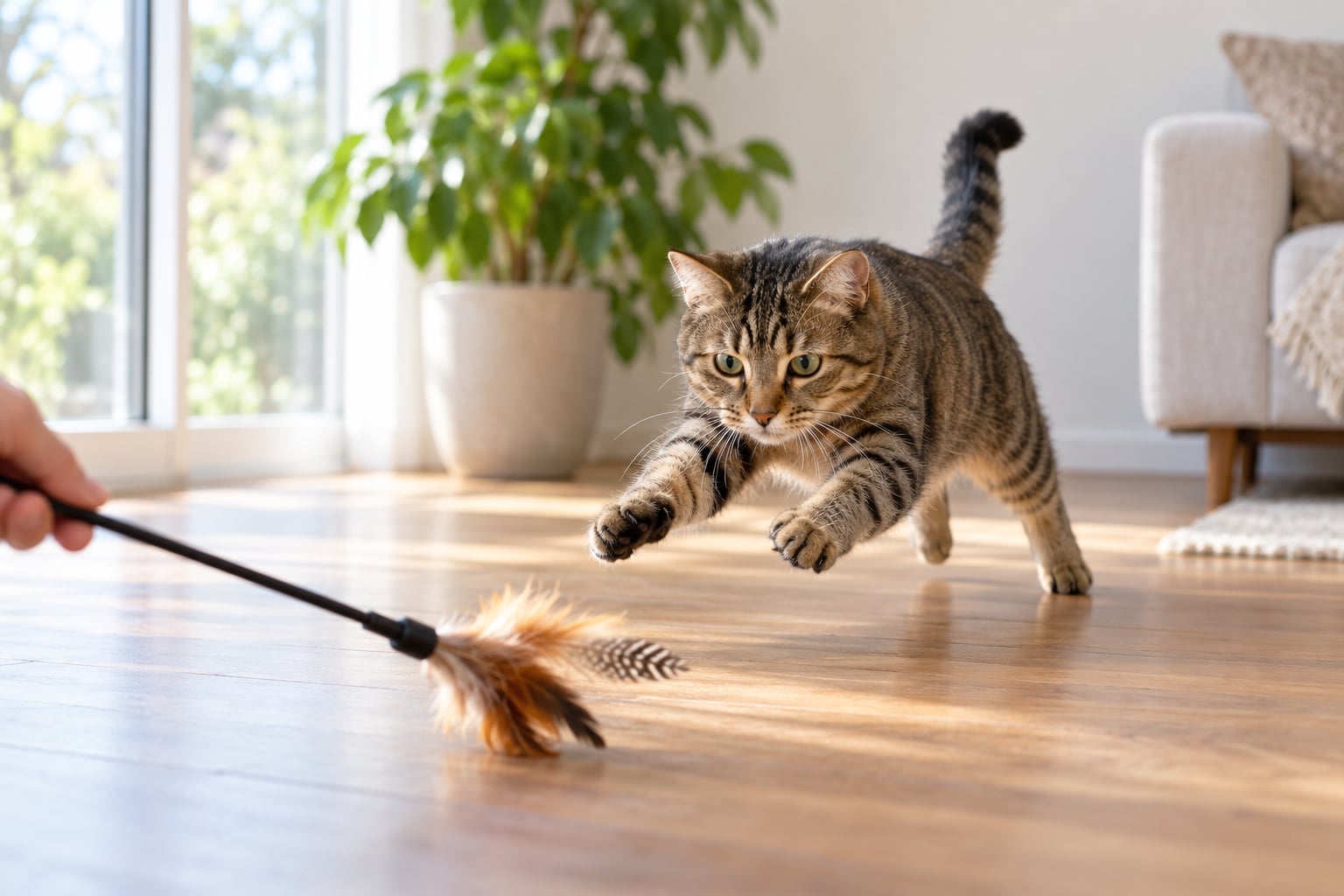
To photograph cats that keep moving, you need three things working together: a fast shutter speed so the action freezes, continuous autofocus so focus follows the cat instead of hunting, and burst shooting so you have frames to choose from. Set the shutter to 1/500 second or faster, switch the drive mode to continuous, and hold the camera low at the cat’s eye level. Ten minutes of setup saves you an hour of deleting blur.
Blurry cat photos usually trace back to one of two separate problems, and mixing them up is why most attempts fail. If the background is sharp and the cat is smeared, the cat moved during the exposure. If the whole frame is soft, including the furniture, your hands moved. Each has its own fix, and once you can tell them apart the guessing stops. Updated for 2026.
Table of Contents
- What You Need
- Step-by-Step
- 1. Prepare a Quiet, Familiar Shooting Area
- 2. Use Shutter Speed and Autofocus for Movement
- 3. Shoot Bursts Instead of Single Frames
- 4. Build a Short, Repeatable Movement Pattern
- 5. Use Light That Keeps the Action Fast
- 6. Track the Eyes and Anticipate the Turn
- 7. Keep Compositions Simple While the Cat Moves
- 8. Cull for Expression, Timing, and Sharp Eyes
- Common Mistakes
- Frequently Asked Questions
- Can you photograph a moving cat with a phone camera?
- What is the best autofocus mode for a cat that will not stop moving?
- Do you need flash to photograph a fast-moving cat indoors?
- How do I get a cat to move naturally for photos?
- Should you edit a photo to make a blurry cat look sharp?
- Conclusion
What You Need
You need very little to photograph moving cats well. A camera with continuous autofocus and a burst mode handles almost all of the work, and a window or an open door supplies the light. Everything else is a preference rather than a requirement.
- A camera with continuous autofocus. Look for Servo AF on Canon and Nikon bodies, or AF-C on Sony, Fujifilm and Panasonic. Single-servo modes lock once and then hunt when the distance changes.
- Any lens, honestly. A 70-300mm telephoto lets you stay back so the cat keeps moving naturally, which is the single biggest advantage you can give yourself.
- Continuous drive mode. On most cameras this is the drive dial, a button marked with stacked frames, or a menu entry. Burst is not the same as a timer.
- Bright light. A south-facing window, an open patio door or a bright overhead fixture. Dark rooms force the shutter down.
- A toy, a treat bag or a familiar voice. Something that produces a repeatable run or pounce, so the cat does something worth photographing.
- Two or three empty card slots. Heavy bursts fill a card faster than most people expect.
A phone is genuinely enough to start. Phones shoot bursts by default, tap to focus, and most modern models hold a fast shutter automatically in decent light. The limit is that you cannot set shutter speed by hand, so you rely on bright light and short bursts instead. The three phone habits that matter most are tapping directly on the eye, holding the shutter rather than tapping it, and shooting in a room with the curtains open.
Two more phone-specific notes. Burst mode on most phones stacks frames into a single image, so open the burst group and pick the sharpest one rather than accepting the composite. And the volume button usually triggers the shutter, which stops your thumb from drifting across the screen and moving the camera at the wrong moment.
Step-by-Step
The workflow below takes about ten minutes to set up and covers everything from clearing the room to picking the keeper. Work through it in order once and the sequence becomes automatic. Each step tells you what success looks like, so you know when to move on.
1. Prepare a Quiet, Familiar Shooting Area
Start by clearing hazards and distractions out of the room, then let the cat settle before you raise the camera. Pick one spot the cat already likes, remove dangling cords, breakables and other animals, and shut doors so nothing can bolt.
Give it a few minutes. Sit on the floor first with the camera down, let the cat come and sniff it, and only then pick it up. Cats that spend the first session under a sofa or heading for a closed door are telling you the setup is wrong, not that the cat is difficult.
What success looks like: the cat walks through the space casually rather than running for the nearest exit. That failure pattern, where the camera comes up and the cat is gone before the shutter fires, shows up in almost every owner forum I have read.
2. Use Shutter Speed and Autofocus for Movement
Start at 1/500 second for a cat walking and playing, and go to 1/1000 second for running, jumping or full-speed zoomies. Anything slower than 1/250 second will smear paws and tails once the cat commits to a sprint.
Pair that with continuous autofocus rather than single-servo. Continuous modes re-check the distance many times per second, which is the only way focus keeps pace with an animal changing direction every half second. Aim the active focus point at the nearest eye, not the nose and not the middle of the body.
Shutter priority is usually the right choice here: you pick the shutter speed and the camera chooses the aperture. If your camera struggles to hit 1/1000 second indoors, widen the aperture rather than dropping the shutter.
| What the cat is doing | Shutter speed | Aperture | ISO indoors |
|---|---|---|---|
| Curled up or asleep | 1/125s | f/2.8 to f/4 | 400 to 800 |
| Walking, tail up, looking around | 1/500s | f/2.8 | 800 to 1600 |
| Playing, chasing a toy, pouncing | 1/1000s | f/2.8 to f/4 | 1600 to 3200 |
| Full-speed run across a room | 1/2000s | f/4 | 3200 to 6400 |
| Jumping or leaping onto a shelf | 1/1600s to 1/2000s | f/4 | 1600 to 3200 |
| Outdoor chase in bright sun | 1/2000s | f/5.6 | 100 to 400 |
What success looks like: the eye nearest the lens is a clean circle rather than a soft smear, and the whiskers hold their shape.
3. Shoot Bursts Instead of Single Frames
Replace single-frame shooting with continuous high-speed burst, because frame count beats timing almost every time. A single press at the wrong moment gives you one unusable frame; a burst gives you the wind-up, the launch, the turn and the landing in the space of a second.
Keep bursts short and controlled. Three to eight frames around one action beats holding the button down for two full seconds, because long bursts fill the buffer, slow the frame rate and bury the good frame in a hundred similar ones. A moderate burst also keeps the shutter noise from turning into a machine-gun rattle that would startle the cat.
What success looks like: you get several distinct phases of a single run rather than a wall of near-identical poses, and the buffer never locks up before the next pounce.
4. Build a Short, Repeatable Movement Pattern
Make the cat repeat one simple action through one fixed frame, using a wand toy, a treat, a familiar person or a room feature like a rug edge or doorway. Drag the toy along the same line ten times and the cat will travel that line ten times.
Choose a direction and a destination. A toy dragged behind a sofa makes the cat run left to right every single time, then peel around the corner, and you can pre-focus on that corner before the cat ever reaches it. Ten identical passes give you ten chances at the same composition.
Never physically chase a cat to force the movement. Chasing ends the session, and a cat cornered into a room will hide for an hour afterwards. If the pattern stops working, take a break rather than pushing.
What success looks like: the cat crosses the same patch of floor several times without you moving more than a step or two.
5. Use Light That Keeps the Action Fast
Add light so you can keep the shutter fast, which means opening curtains, moving to open shade outdoors or switching on every lamp in the room. Indoors, raise ISO to 1600-3200 rather than dropping the shutter speed, because a sharp frame at ISO 3200 always beats a soft frame at ISO 100.
Light coming from the side or slightly behind the cat adds edge definition and catches in the eyes, while flat overhead light flattens a face. Outdoor golden hour gives you both fast shutter speeds and warm colour without touching a flash. Avoid shooting into a bright window with a dark cat in the foreground, since the camera will expose for the window and turn the cat into a silhouette.
If your camera’s high ISO limit produces noisy files, turn off noise reduction or shoot RAW and handle it later. Clean grain is far easier to live with than a moving cat.
What success looks like: the face is properly exposed with detail in the fur, and the eyes show a bright catchlight rather than flat black.
6. Track the Eyes and Anticipate the Turn
Put the focus point on the nearest eye, let tracking do the rest, and start the frame just before the cat turns or pounces rather than after. Focus on the eyes and the rest of the frame takes care of itself; focus on the body and the head drifts out of sharpness within a frame or two.
Watch for the tells that come before movement. The one-second stillness after a stop, ears rotating, a tail lashing low and hard, pupils widening, a weight shift onto the back legs. All of those mean the run is starting, so release the burst as the last one happens, not as the first one does.
Back-button focus helps here. Separate focusing from the shutter release, hold the focus button to keep tracking, and press the shutter only when the timing is right. With focus held on the eye you can compose the burst instead of waiting on the autofocus to catch up.
What success looks like: your sharpest frames land near the apex of a jump or the moment a cat turns its head toward you, not during the boring approach.
7. Keep Compositions Simple While the Cat Moves
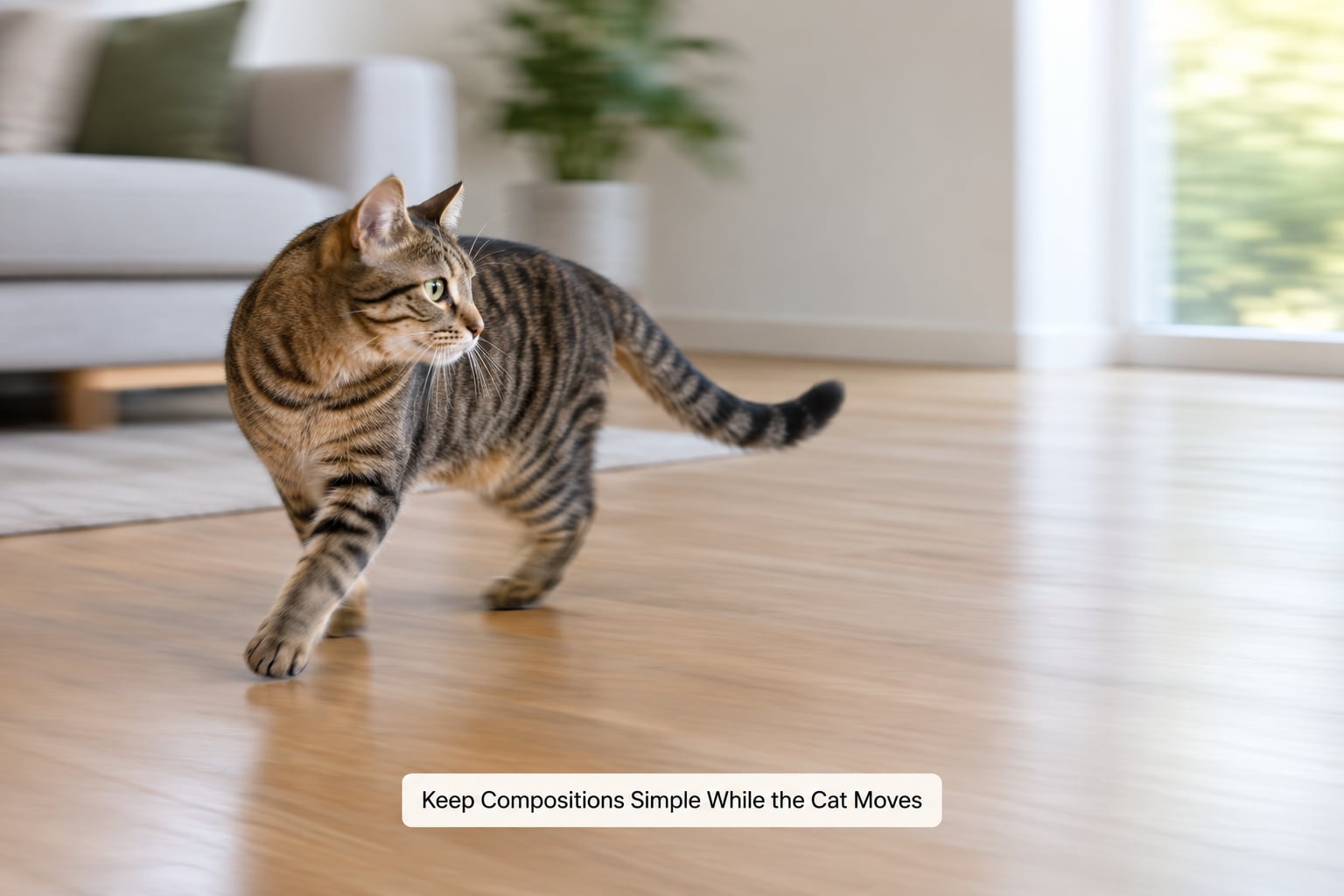
Leave room in front of the cat, keep the background plain, and shoot from near its eye level by lying on your front or bracing your elbows on the floor. A cat running into a tight frame gets clipped at the edge every time, and a cluttered background destroys the sense of speed.
Pick one decisive moment rather than changing five settings mid-action. You can pan with the cat at a slower shutter speed, around 1/30 to 1/125 second, and let the background streak while the body stays readable, which turns the blur you were fighting into a deliberate style. A lot of experienced shooters make exactly this trade: follow the subject at a slow shutter and accept some blur as the price of a solid, well-composed frame.
A low viewpoint does more than look nice. It removes the distracting ceiling and makes the cat the largest thing in the frame. Get physically stable too, with your elbows braced, your legs flat, or the camera resting on a beanbag or a pile of cushions.
What success looks like: the cat has somewhere to run into, the background is clean, and the horizon is low.
8. Cull for Expression, Timing, and Sharp Eyes
Compare each burst in the camera or in your editing software, then look for four things in order: a sharp eye, a recognizable expression, clean paws, and an uncluttered frame. Delete ruthlessly, because the honest arithmetic on this is that a good running-cat frame often comes out of a hundred exposures.
Apply restrained corrections in editing: a small crop to tighten the composition, exposure lifted a fraction if the face went dark, and clarity or texture nudged up rather than maxed. Sharpen filters can rescue a slightly soft frame, but they cannot invent detail that never landed on the sensor, and they exaggerate noise at high ISO.
What success looks like: a small shortlist of keepers per burst, each with a sharp eye and nothing to fix beyond a crop.
Common Mistakes
Almost every recurring problem has a matching fix, and most come from the same two sources of blur. Here are the ones I see most often, paired with what actually changes the result.
| Check | Camera shake | Subject motion |
|---|---|---|
| What you see | Whole frame soft, including walls and furniture | Background sharp, cat smeared |
| Cause | Your hands or the camera moved during the exposure | The cat moved while the shutter was open |
| Fix | Brace elbows, drop to the floor, rest the camera on a beanbag, or enable stabilization | Raise the shutter speed to 1/1000 second and accept higher ISO |
| Stabilization helps? | Yes, substantially | No, it cannot freeze the cat |
That last row is where most people go wrong. Stabilization and a beanbag solve shake and nothing else, so if the cat is the soft part of the frame, steadier hands will not fix it. Zoom in on a frame at full size and look at the edge of a door frame or the legs of a chair: soft there means shake.
- Blurry everywhere, background included. This is camera shake, not the cat. Brace your elbows, drop to your knees, use a faster shutter, or turn on stabilization if your lens has it.
- Sharp room, smeared cat. The shutter is too slow for the movement. Double the speed to 1/1000 second and let ISO take the hit.
- Focus lands on the nose or the wall behind. Switch to continuous autofocus, aim at the nearest eye, and stop using single-servo for anything that moves.
- Focus pulses back and forth as the cat closes in. Use a wider area or flexible-point mode rather than a single tiny point, and stop down slightly to f/4 for more depth of field.
- You fired four frames and got four identical misses. Burst longer, at least six to eight frames, and check you are on continuous drive rather than single frame.
- The card fills up in one session. Burst on the short setting rather than high, clear cards between sessions, and shoot in JPEG rather than RAW when you are filling frames fast indoors.
- Overexposed or harshly lit indoor shots. Turn on every lamp, shoot near a window, and add negative exposure compensation. Direct on-camera flash guarantees you lose the cat, since the burst of light and the noise both startle it.
- Every frame is dead-centre and static. Leave empty space in the direction the cat is travelling, and lower the camera to its eye level.
- You over-edited a soft frame until it looks odd. If the eye is not sharp, delete the frame. A clean miss beats a rescued fake, and over-sharpening at ISO 3200 makes the noise obvious.
Three things speed up everything else: stay back and work a longer lens, shoot in bursts rather than single frames, and accept that you will delete most of what you take. Photographers who admit to shooting hundreds of frames for one keeper are the ones whose advice actually works, because the alternative is trying to time a cat, which never ends well.
Frequently Asked Questions
Can you photograph a moving cat with a phone camera?
Yes. Tap the cat’s eye to focus, then hold the shutter to trigger the phone’s built-in burst, which captures several frames in about a second. Shoot in bright light near a window, because phones pick the shutter speed for you and a dim room forces a slow one. Enable action or sports mode if your phone has it, and shoot more frames than you think you need.
What is the best autofocus mode for a cat that will not stop moving?
Continuous autofocus, called Servo AF or AF-C depending on the brand, is the right choice because it re-checks focus distance continuously instead of locking once. Pair it with a wide or flexible-point area rather than one tiny point, and put that point on the nearest eye. Single-servo modes will hunt and give up as soon as the cat changes direction.
Do you need flash to photograph a fast-moving cat indoors?
No. Flash almost always ends the session, because the burst of light and the shutter noise both startle the cat. Instead open the curtains, switch on every lamp in the room, and raise ISO to 1600-3200 so you can hold a shutter of 1/1000 second or faster. A noisy sharp frame is far more usable than a clean soft one.
How do I get a cat to move naturally for photos?
Use a wand toy or a treat to create a repeatable route, then drag it along the same line ten or fifteen times so the cat learns where to go. Add a familiar person calling from a fixed spot, or use a doorway or rug edge as a natural trigger point. Stay back with a longer lens, keep the burst short, and stop the session if the cat starts hiding.
Should you edit a photo to make a blurry cat look sharp?
Only slightly. A mild sharpening pass helps a frame that is a touch soft, but sharpening cannot recover detail the sensor never recorded, so a genuinely blurred cat just looks noisy and crunchy. Crop to remove the worst of the blur, lift exposure a fraction if the face is dark, and delete the frame when the eye is not sharp.
Conclusion
Start here: shutter speed at 1/1000 second, continuous autofocus pointed at the nearest eye, continuous drive mode, and a short burst fired while the cat crosses a familiar, uncluttered room in good window light. That combination handles most moving-cat situations, and it takes about ten minutes to set up.
The fastest route to better frames after that is anticipation rather than more gear. Watch for the stillness, the ear rotation and the weight shift that come before a run, shoot from the cat’s level, and leave space in front of it so it has somewhere to go. Keep a longer lens between you and the cat so it stays relaxed, raise ISO instead of slowing the shutter when the room gets dim, and expect to delete most of what you take.