If you keep opening a moon shot and thinking why does the moon look tiny in my photos, the answer is usually not a broken camera. It is the lens you were holding. A wide-angle lens records such a huge slice of sky that the moon, which spans about half a degree, ends up as a small disc near the edge of the frame. The fix is a longer focal length, a tighter crop, or simply accepting that the shot was always meant to be about the sky.
I have made this mistake in every direction a beginner can. Shot on a 16mm phone wide, the moon looked like a grain of salt in the corner. Shot on a 300mm lens from the same driveway twenty minutes later, it filled a third of the frame. Nothing about the moon had changed except how much sky the camera was asked to record.
This guide walks through the actual optics, then the practical settings, so you can tell whether your moon is small, soft, or blown out. Those are three different problems and they need three different fixes.
Table of Contents
- Why Does the Moon Look Tiny in My Photos?
- How Big Does the Moon Actually Look?
- Why Does the Moon Look Tiny Next to a Wide Scene?
- Focal Length, Distance, and Framing
- How to Tell Whether the Problem Is Focus or Sharpness
- Exposure, Glare, and the Missing Detail Problem
- How to Make the Moon Look Larger in Your Photo
- Smartphone Camera Settings for a Bigger Moon
- DSLR and Mirrorless Camera Settings for the Moon
- Quick Diagnosis: Why Does the Moon Look Tiny in My Photos?
- When a Small Moon Is Exactly Right
- Frequently Asked Questions
- How big should the moon look in a photo?
- Can I make the moon look bigger by zooming in?
- Why is my moon photo blurry even though the sky is sharp?
- Does zooming with a smartphone add detail to the moon?
- Why does the moon look larger in some photos than in others?
- Is a small moon in a landscape photo a mistake?
- What to Do First
Why Does the Moon Look Tiny in My Photos?
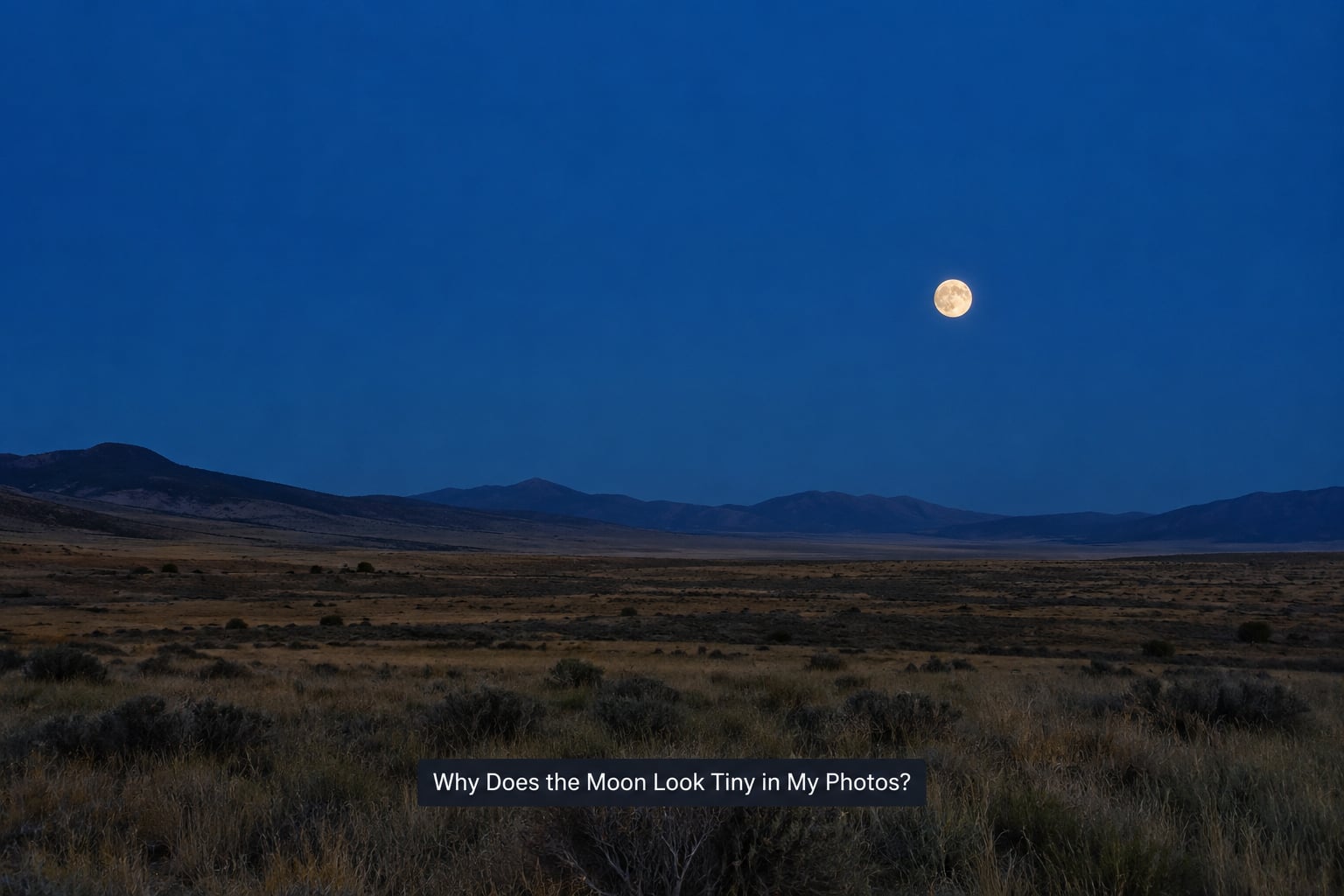
The moon looks tiny in your photos because the lens is capturing a wide field of view, so the moon occupies a very small percentage of the frame. Focal length sets the width of the slice of sky you record, and the moon is only about 0.5 degrees wide. Zoom in and the same moon fills the frame. Nothing is wrong with your camera.
Those are the causes you will meet again and again:
- Wide-angle field of view. A 16mm or 24mm lens records a scene so broad that any object at infinity shrinks toward a dot.
- Perception, not physics. The moon looks enormous to your eye because it is bright and your brain expects brightness to mean size. The moon illusion makes it look larger still near the horizon.
- A wide foreground for scale. Put a building or a hill next to the moon and your brain compares them, then decides the moon is small.
- Digital zoom. A phone at 5x or 10x crops a small sensor image and stretches it. The moon gets bigger in pixels and softer in every other way.
- Focus breathing. Some telephoto zooms widen their field of view as focus distance drops, so a mis-focused frame shows a smaller moon.
- Cropping afterwards. If the disc was small to begin with, enlarging it in editing only magnifies the pixels it had.
How Big Does the Moon Actually Look?
The moon subtends roughly 0.5 degrees, which is about the width of a fingernail held at arm’s length. Hold your little fingernail out at arm’s length on a clear night and it will very nearly cover the moon. That is why your eye can find it instantly and why a wide lens makes it look like nothing.
The table below is the number most guides skip. It shows how much of a full-frame frame height the moon takes up at common focal lengths, and how many pixels wide the disc lands on a 24MP body (6000 by 4000 pixels).
| Focal length (full frame) | Vertical field of view | Moon as share of frame height | Moon width in pixels (24MP) |
|---|---|---|---|
| 24mm | about 53 degrees | about 1 percent | about 40 px |
| 35mm | about 38 degrees | about 1.4 percent | about 55 px |
| 50mm | about 27 degrees | about 1.9 percent | about 77 px |
| 100mm | about 14 degrees | about 3.8 percent | about 150 px |
| 200mm | about 7 degrees | about 7.5 percent | about 300 px |
| 300mm | about 4.6 degrees | about 11 percent | about 460 px |
| 400mm | about 3.4 degrees | about 15 percent | about 600 px |
| 600mm | about 2.3 degrees | about 23 percent | about 900 px |
Read that again from the top. A 24mm disc at 40 pixels wide is a dot with no crater detail in it at all. A 300mm disc at 460 pixels is where the maria start to appear. If you want recognisable lunar surface rather than a white circle, 200mm is roughly the floor, and that is with good light.
Why Does the Moon Look Tiny Next to a Wide Scene?
A wide-angle frame puts distant objects right next to nearby ones, and your brain instantly measures one against the other. The moon sits beside a hill, a roofline, a bare tree, and suddenly it is a speck. That comparison is forced perspective working against you, and it is the single reason moon-over-scenery shots so often disappoint.
Two levers fix it. Move the camera so the foreground is no longer competing with the moon, which is easier when you are further from your subject. Or use a longer lens so the foreground occupies less of the frame. Neither changes the moon; both change what it is being measured against.
Focal Length, Distance, and Framing
Focal length is the distance in millimetres between the lens’s rear element and the sensor when the image focuses at infinity. Field of view is the angle of sky that focal length captures. Short focal lengths mean wide field of view, long focal lengths mean narrow field of view, and the moon’s size in the frame is simply the ratio between its fixed 0.5 degrees and that angle.
Walking closer to the moon does nothing at all. It is roughly 384,400 kilometres away on average, and closing the gap by a few metres changes nothing you could measure. Moving closer to your foreground subject, however, changes the comparison dramatically, which is the technique behind most good moon-and-landmark shots.
Crop sensors come up here too, and the explanation is short: an APS-C body at 100mm records the same slice of sky as a full-frame body at 150mm, so the moon fills more of the frame. That is a framing change caused by a smaller sensor, not a change to the lens. The 100mm still is 100mm.
How to Tell Whether the Problem Is Focus or Sharpness
A small moon and a soft moon look similar on a phone screen and need opposite corrections. Zoom to 100 percent on the file. If the disc is round with a clean edge but only occupies a small area, the problem is framing and no amount of focus work will change it. If the edge feathers out and craters blur into smudges, you have a focus or stability problem.
Autofocus struggles here. A dim, low-contrast object against a black sky gives the system very little to lock onto, and it may hunt, settle on the background, or report success while landing slightly off. Manual focus set to infinity, checked at high magnification in live view, is the reliable route.
Then there is focus breathing. Some telephoto zooms change focal length as they rack from infinity to a nearer distance, which widens the field of view slightly. Frame taken with focus drifting off the moon shows a smaller disc than the same lens focused correctly, and it looks softer at the same time. It is the reason a photographer can shoot the same lens twice with nearly identical settings and get two different results.
Exposure, Glare, and the Missing Detail Problem
A moon that is white in the middle with no surface detail is an exposure problem wearing a costume. Your meter reads the enormous dark sky around the moon and tries to brighten the whole scene, which blows out the one bright object in it. On a phone this gets worse, because the phone locks exposure to the sky and renders the moon as a featureless disc.
Three habits fix most of it. Shoot RAW so you have latitude afterwards. Set exposure compensation to about minus one to minus two stops and watch the histogram rather than the screen, since the screen lies at night. And meter from the moon itself with spot or centre-weighted metering rather than letting the whole frame average out.
Lens flare deserves its own mention. Shooting through a thin cloud or a dirty front element scatters light across the frame, and the moon shrinks visually into the glow around it. Clean the glass, keep the moon away from the edge of the frame where flare is strongest, and stop down slightly if you have the light for it.
How to Make the Moon Look Larger in Your Photo
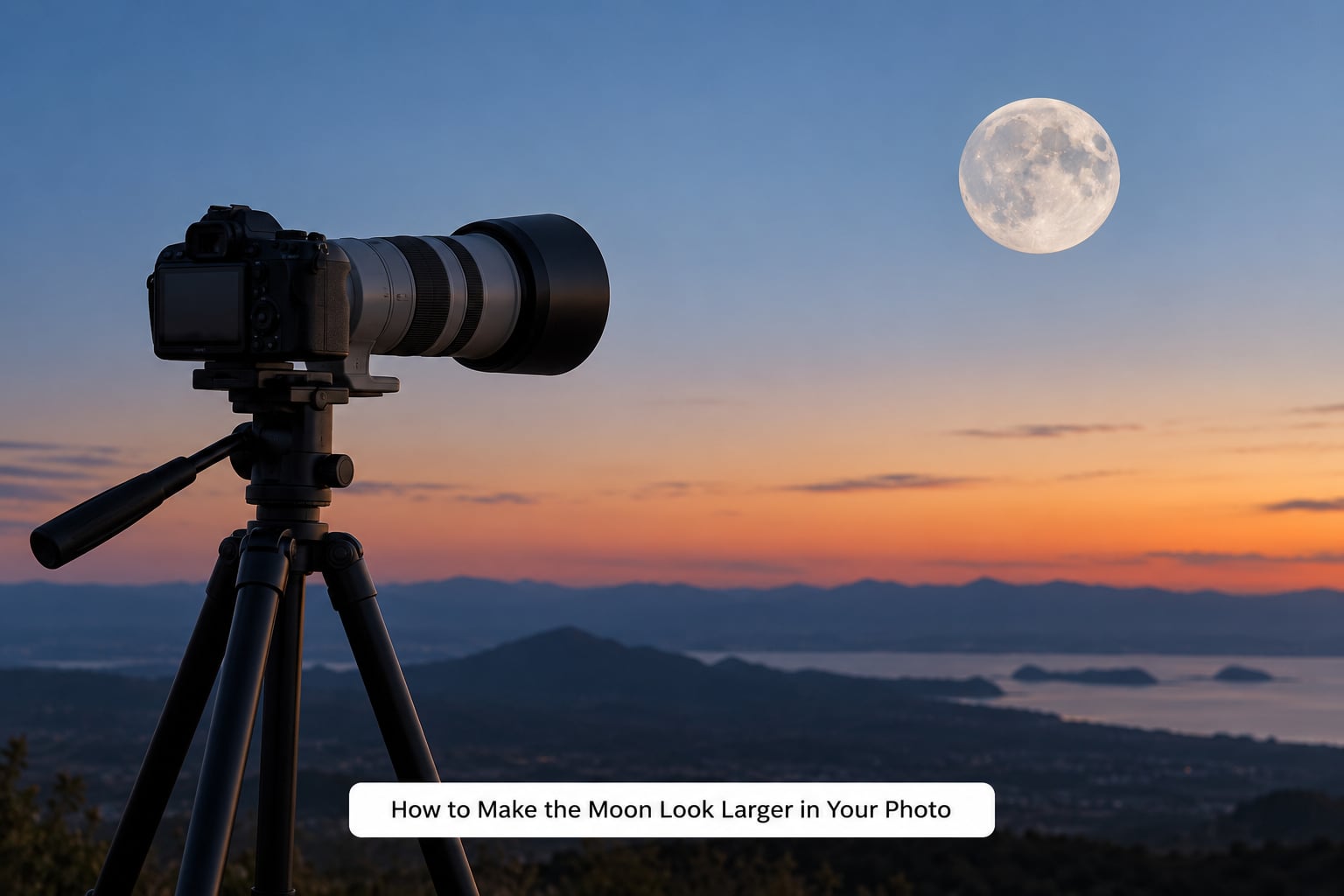
Use a longer focal length, get further from your foreground subject, and leave yourself cropping room. Everything else is detail work on top of those three moves. In order of how much they change the result:
- Go longer. A 200mm to 400mm zoom changes the moon from a dot to a subject. This is the step with the largest effect and no editing can replace it.
- Back away from the foreground. If you want a landmark in the frame, stand further back and zoom in. The landmark stays, the sky shrinks, the moon grows.
- Use optical reach, never digital. On a camera that means the lens zoom ring. On a phone that means the 1x, 2x or 3x telephoto button, which switches lenses rather than cropping.
- Leave cropping room. Shoot more sky than you think you need. A disc at 450 pixels can go up to about 900 pixels before it looks soft on a decent screen.
- Keep it sharp. A tripod, a two-second timer or a remote release, manual focus at infinity checked on the magnified live view, and ISO low enough that you do not need noise reduction.
- Stop down carefully. Around f/5.6 to f/8 usually gives a clean disc without diffraction softening it, provided there is enough light.
What to avoid: heavy clarity or sharpening sliders on a small disc, aggressive noise reduction that smears craters into grey, and any amount of digital zoom. A 200mm disc stretched to look like a 600mm disc reads as an obvious fake, which is worse than a small honest moon.
Smartphone Camera Settings for a Bigger Moon
Phones are the most common tool here and also the most misunderstood. The rule that matters most: optical zoom switches to a different lens and produces a real image, while digital zoom crops and stretches the sensor data you already have. The 100x space zoom claim on a spec sheet is the digital kind, and on the moon it will give you a blurry circle.
For a bigger and clearer moon on a phone:
- Use the native telephoto, usually labelled 2x or 3x, and only that.
- Tap the moon on screen to focus, then pull the exposure slider down so the disc is not pure white.
- Stop the phone from hunting for focus. On many models, pointing at a bright sky triggers a macro-style switch; moving the camera very slightly, or holding the phone further from the lens with a small tripod, often settles it.
- Use the timer or a two-second delay with the phone on something solid. Any movement at 3x is visible.
- Treat night mode with caution. It stacks multiple frames for a brighter result and can soften or shift the moon’s shape, which is the opposite of what you want.
- Keep the lens clear of fingerprints. A smudged lens is a very common cause of a dim, fuzzy disc.
If sharpness matters more than convenience, binoculars plus a phone held steadily against the eyepiece is the cheapest genuine magnification available, and people in photography forums report it works remarkably well.
DSLR and Mirrorless Camera Settings for the Moon
Treat these as starting points rather than a recipe. Moon brightness, haze, your sensor and your lens all shift what works, so check the histogram and adjust.
- Mode. Manual exposure. Aperture gives up to two stops of breathing, which is more than the moon needs.
- Aperture. f/5.6 to f/8 is the range where most lenses are sharp with haze on the front element.
- Shutter speed. Around 1/250 second handheld with stabilisation, slower on a tripod. Anything under 1/60 handheld will smear.
- ISO. Base ISO or one step above. Craters live in the shadows, and noise destroys them faster than almost anything else.
- Focus. Manual focus, focused at infinity, verified at high magnification on the live view screen. Autofocus plus focus breathing is where the surprise small moon comes from.
- Metering. Spot or centre-weighted on the moon itself.
- Stabilisation. On if handheld, off if the camera is locked to a tripod. Leaving it on defeats a tripod.
One extra habit worth forming: shoot the moon every clear night for a few minutes. You will learn what your lens and your metering actually do to a fixed subject, which is far more useful than any settings chart.
Quick Diagnosis: Why Does the Moon Look Tiny in My Photos?
Work down this table and stop at the first row that matches what you are seeing. Small, soft and blown out look alike at phone size and are fixed in completely different ways.
| What you see | Most likely cause | Most useful fix |
|---|---|---|
| A clean but small disc in a wide frame | Wide-angle field of view | Longer focal length, or accept the framing |
| Small only after cropping in an editor | Not enough pixels in the original | Check the width at 100 percent; re-shoot at a longer focal length |
| Feathered edges, craters smeared | Missed focus, focus breathing, or camera shake | Manual focus at infinity on magnified live view, plus a tripod |
| White blob with no surface detail | Metering read the dark sky and overexposed the moon | Spot meter on the moon, minus one to two stops, shoot RAW |
| Large but soft, with halos or haze | Digital zoom, lens flare or a smudged lens | Optical reach only, clean the front element, keep the moon off the frame edge |
| Small and blurry only on the phone | Macro auto-switch or digital zoom | Tap to focus, use the 2x or 3x telephoto, support the phone |
If two rows match, deal with focus before exposure. Nothing else becomes visible until the disc is sharp.
When a Small Moon Is Exactly Right
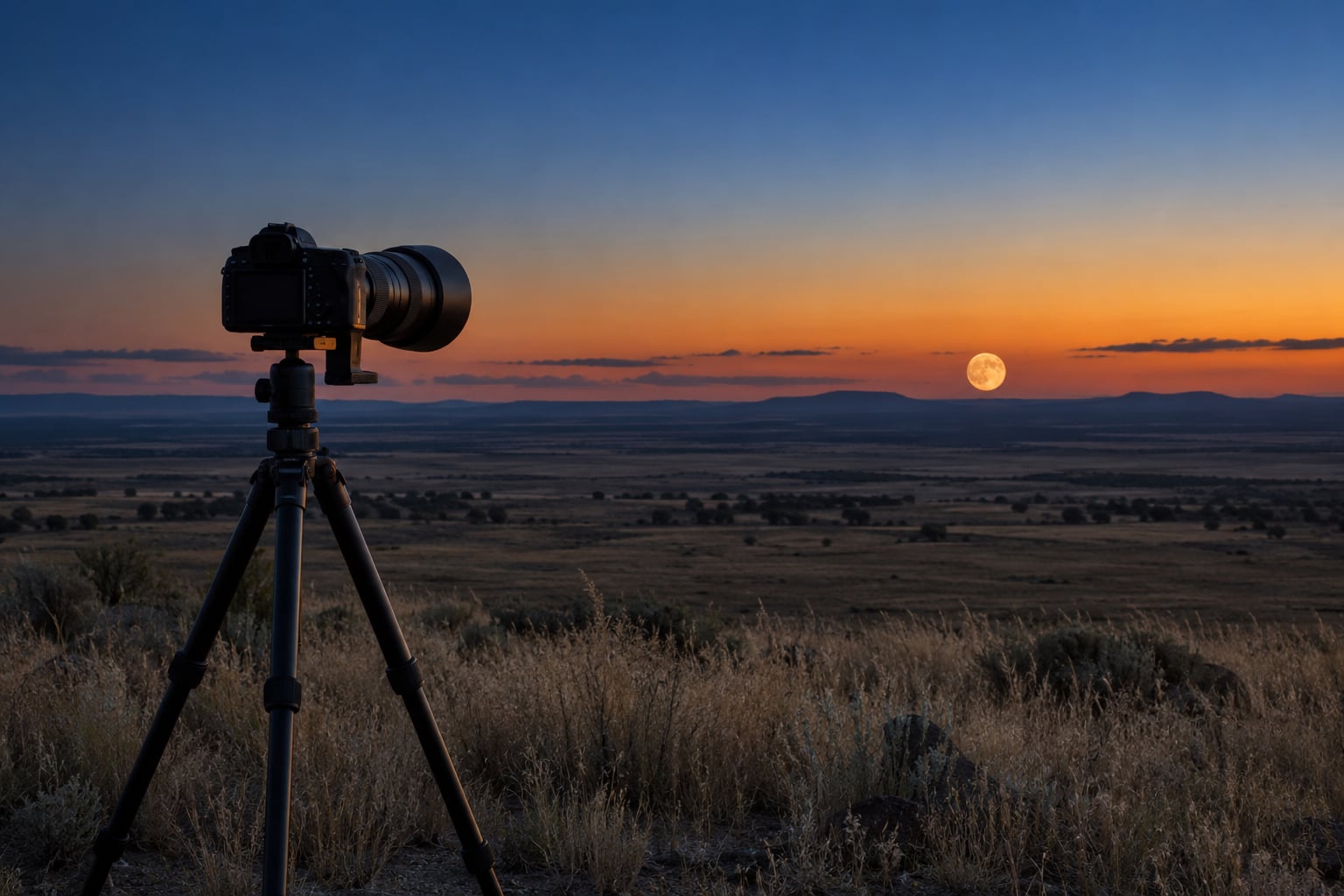
A small moon in a wide scene is a legitimate choice, not a failure. A 300mm disc against a wide coastal horizon or a lone tree reads as deliberate in a way a moon filling the frame never does, and it gives the viewer scale they cannot get any other way.
Two things make a small moon work. First, a foreground object that gives scale, so the eye has something to measure against and understands the distance. Second, negative space. Empty sky around a small bright disc is calm and graphic; the same disc crowded into a busy frame looks accidental.
The test is simple: could you look at the image and say the moon was meant to be that size? If yes, leave it. The failures worth fixing are the ones where the moon is small and the image gives no reason for it.
Frequently Asked Questions
How big should the moon look in a photo?
There is no single right size, because the moon has no intrinsic size in a photograph. On a full-frame body it covers about 1 percent of frame height at 24mm, 7.5 percent at 200mm and 23 percent at 600mm. Pick the framing that suits the shot, then check the disc measures at least 200 to 300 pixels wide if you want visible crater detail rather than a blank circle.
Can I make the moon look bigger by zooming in?
Yes, but only with optical zoom. On a camera that means turning the lens ring, which records a narrower slice of sky at full resolution. Digital zoom on a phone crops the sensor image and stretches it, so the moon gets larger in pixels and blurrier in every other respect. Optical reach gives you real detail; digital zoom only gives you the appearance of it.
Why is my moon photo blurry even though the sky is sharp?
Autofocus often cannot lock onto a dim, low-contrast object against a black sky and reports success anyway. Zoom in to 100 percent to confirm: a feathered edge with smeared craters means focus, not framing. Set manual focus, focus at infinity, and verify at high magnification on the live view screen. If the disc is sharp but small, the cause is focal length instead.
Does zooming with a smartphone add detail to the moon?
Only the optical telephoto lenses do. The 1x, 2x and 3x buttons switch to a real lens at full sensor resolution. Anything labelled 5x or higher on most phones is digital, which crops and enlarges what the sensor already captured, so the moon grows but craters turn to mush. The advertised maximum zoom figure is a multiple of a crop, not extra magnification.
Why does the moon look larger in some photos than in others?
Its angular size stays close to half a degree all the time, so nothing about the moon itself is changing. The difference comes from field of view, from the foreground you place beside it, and from the moon illusion, which makes a horizon moon look bigger than the same moon overhead. A 300mm frame with a bare foreground looks far larger than a 24mm frame full of trees.
Is a small moon in a landscape photo a mistake?
No. A small moon with a scale reference in the frame and plenty of open sky around it reads as an intentional choice, and it gives the viewer a sense of distance that a zoomed-in disc removes entirely. The images worth fixing are the ones where the moon is small and nothing in the composition explains why. Judge it by intent, not by disc diameter.
What to Do First
Open the file at 100 percent magnification and answer one question: is the moon small, or is it soft? Small means focal length and framing, so change the lens, step further from your foreground, and leave cropping room. Soft means focus and stability, so switch to manual focus at infinity, check it on magnified live view, and use a tripod or timer.
Only after it is sharp should you touch exposure, and then only enough to hold the crater detail. Editing comes last, and only lightly. Most people who ask why does the moon look tiny in my photos are holding a perfectly capable camera and a lens set far wider than the shot needed.