Your camera focuses on the wrong thing because autofocus locks onto the nearest high-contrast edge inside the active focus area, and that edge is often a fence, a branch or a bright sky rather than your subject. In roughly nine cases out of ten this is a setting or technique problem, not a broken lens.
The good news is that the cause is usually visible in the frame itself. Once you know what the camera was locking onto, the fix takes about a minute: narrow the focus area, lock the focus, or switch the autofocus mode.
Last reviewed for 2026. Written for Canon, Nikon, Sony, Fujifilm bodies and for iPhone, Samsung and Android shooters, since the same complaint shows up on all of them.
Table of Contents
- Why does my camera focus on the wrong thing?
- The seven reasons your camera focuses on the wrong thing
- 1. The AF area is doing the choosing
- 2. The subject has almost no contrast
- 3. Low light makes AF hunt and give up
- 4. Something is between you and your subject
- 5. Subject too close, or too close to its background
- 6. The autofocus mode does not match the subject
- 7. Focus resets or shifts when you recompose
- Phone cameras: why it happens on iPhone, Samsung and Android
- iPhone
- Samsung
- Android generally
- When it is a hardware fault, not a setting
- Is it even a focus problem? Blur that looks identical
- The 60-second diagnostic checklist
- Focus settings by scene
- How to confirm where your camera actually focused
- Frequently Asked Questions
- Why is my camera only focusing on the background?
- Why is my camera constantly focusing and refocusing?
- How do I stop phone camera from auto focusing?
- How do I fix camera focus on iPhone?
- Why is my camera not focusing all of a sudden?
- Why do my photos keep moving?
- What to do first
Why does my camera focus on the wrong thing?
Autofocus does not understand what your subject is, unless subject recognition is switched on. It understands contrast. The system drives the lens back and forth until the sharpest edge inside the area you gave it lands on the sensor.
Give it a wide area with a bright window frame behind your subject and it will settle on the window frame. The lens then focuses perfectly. It is simply focusing perfectly on the wrong distance.
This table maps what you see in the finished photo to what the camera was actually doing. Jump to the fix from there.
| What you see in the photo | What is actually happening | Where the fix is |
|---|---|---|
| Background sharp, subject soft | The AF area included the background and the background had more contrast | Cause 1 and Cause 5 |
| A different person is sharp | Near-subject bias in auto-area AF picked the closest face or edge | Cause 1 |
| Sky or white wall is sharp | Low-contrast subject gave the camera nothing to lock onto | Cause 2 |
| Focus point pulses back and forth | AF hunting in low light or through a low-contrast subject | Cause 3 |
| Branches or fence in front are sharp | A distraction sits closer to the camera than the subject | Cause 4 |
| Soft at close range only | Subject is nearer than the minimum focusing distance | Cause 5 |
| Moving subject always soft, stills fine | Single-servo AF locked once and the subject left | Cause 6 |
| Soft only after you moved the camera | Focus reset or shifted during recomposition | Cause 7 |
| Same error on every lens and every zoom | Possible loose mount or AF calibration fault | Hardware section |
The seven reasons your camera focuses on the wrong thing
1. The AF area is doing the choosing
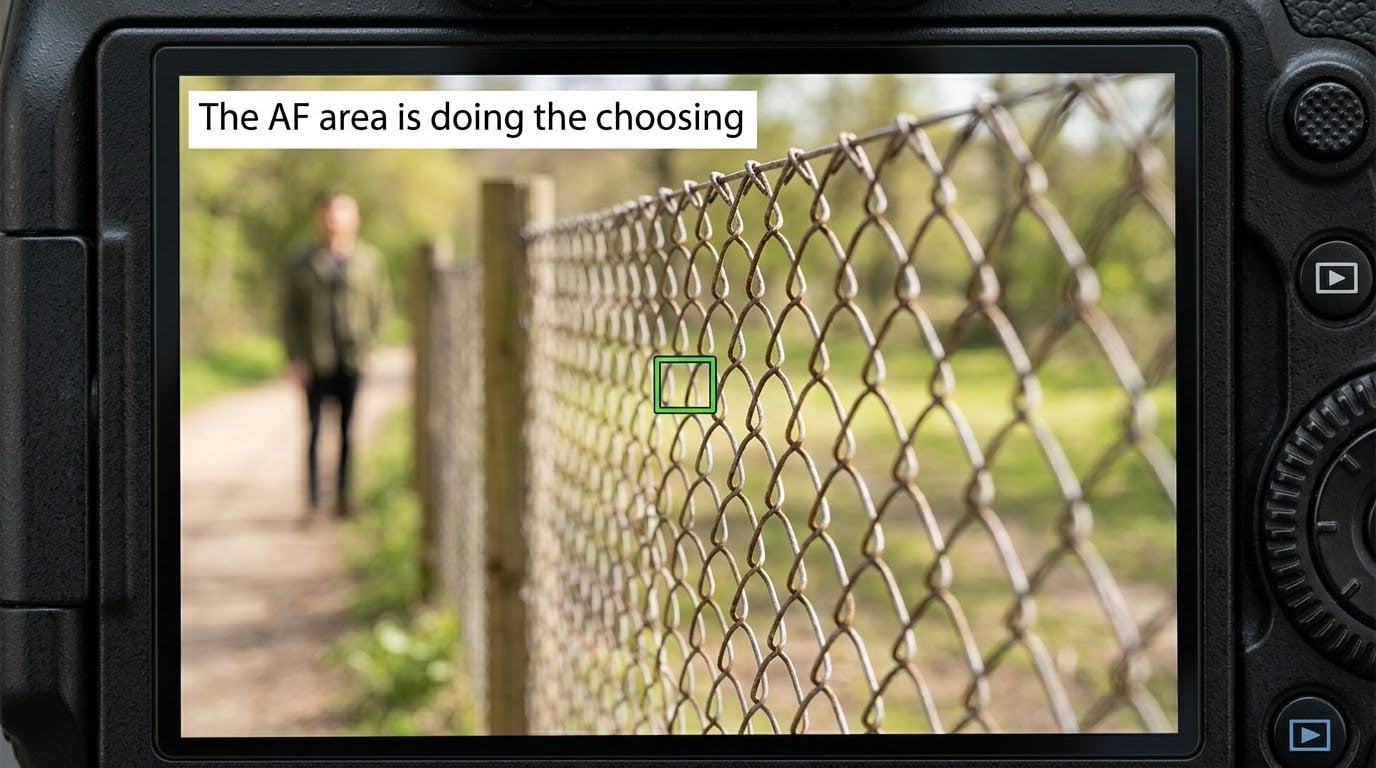
This is the single most common cause by a wide margin. Auto-area AF hands the decision to the camera, and the camera applies a general rule of thumb: nearest interesting subject wins. In a group shot that is frequently not the person you came for.
The fix is to shrink the focus area. A small single point or spot AF placed deliberately on the face gives you the final say. On most bodies you also get face and eye detection, which is worth switching on for portraits.
One thing worth knowing: if the lens starts too far from your subject, the camera may never find focus at all. Photographers on r/Cameras describe exactly this, and the fix is to start the focus point on the subject, not beside it.
2. The subject has almost no contrast
Contrast detection autofocus needs an edge to bite on. A white bird against an overcast sky, a dark jacket against a dark shopfront, a smooth white wall, an animal with no markings. These give the system nothing, so it grabs whatever contrast exists nearby.
Raise contrast on the subject rather than on the scene. Turn the subject slightly so it catches a highlight edge, shoot with a subject background a step or two darker or lighter, or use the camera’s AF assist light if the lens has one. Backlighting your subject is the hardest case, so expose for the shadow side and shoot raw.
3. Low light makes AF hunt and give up
In dim conditions both phase detection and contrast detection lose their grip. The camera racks the lens forward and backward looking for a lock, and if it cannot find one it either gives up or picks the nearest edge by guesswork.
Turn on the AF assist light if your lens has one, get closer or use a wider aperture to gather more light, or add just enough flash to put a little contrast back on the subject. If the light is genuinely too low, manual focus with focus peaking is more reliable than a hunt.
4. Something is between you and your subject
Branches, railings, chain-link fence, window reflections, another person’s shoulder or sleeve. The nearer object wins, and it is closer than your subject, so the camera focuses on it.
Move to clear the line first, because no setting fixes an obstructed view. If you cannot move, use a longer focal length to isolate your subject and put the focus point on the part of them that is unobstructed.
5. Subject too close, or too close to its background
Two different problems produce the same sharp-background photo. The first is the minimum focusing distance printed on your lens barrel: closer than that and the lens physically cannot focus, so it stays where it is.
The second is depth of field. At a wide aperture with a long lens, your subject and the wall behind them can be separated by millimetres while sharing almost no depth of field. The camera cannot be wrong by much in those conditions, and the margin for error is gone. Stopping down one or two stops is the rescue, at the cost of shutter speed.
6. The autofocus mode does not match the subject
Single-servo locks once and holds. Continuous servo tracks. Put a bird, a child or a car in single-servo and you get one sharp frame then a soft subject for the rest of the burst. That gets reported constantly as a focus fault.
The most repeated answer across photography forums is simply that the mode is set wrong for the shot. Check your AF mode before blaming the gear, every time.
7. Focus resets or shifts when you recompose
Half-press the shutter to focus, raise the camera to frame the shot properly, and if the mode is single-servo the focus resets and the camera hunts again. Worse, at wide apertures even a tiny camera movement changes the distance from lens to subject, which shifts the focus plane. Photographers call it cosine error.
Two fixes: lock the focus and recompose without moving the camera more than a couple of degrees, or use back-button focus so you separate focusing from the shutter. Alternatively focus on the background first, then switch to manual and dial focus until the foreground subject is sharp, which works well for landscapes with a near foreground.
Phone cameras: why it happens on iPhone, Samsung and Android
Phones auto-select the subject for you, and they do it with less information than a real camera system. Tap-to-focus narrows the area, but the phone still blends several frames and still slides focus to a face it likes better.
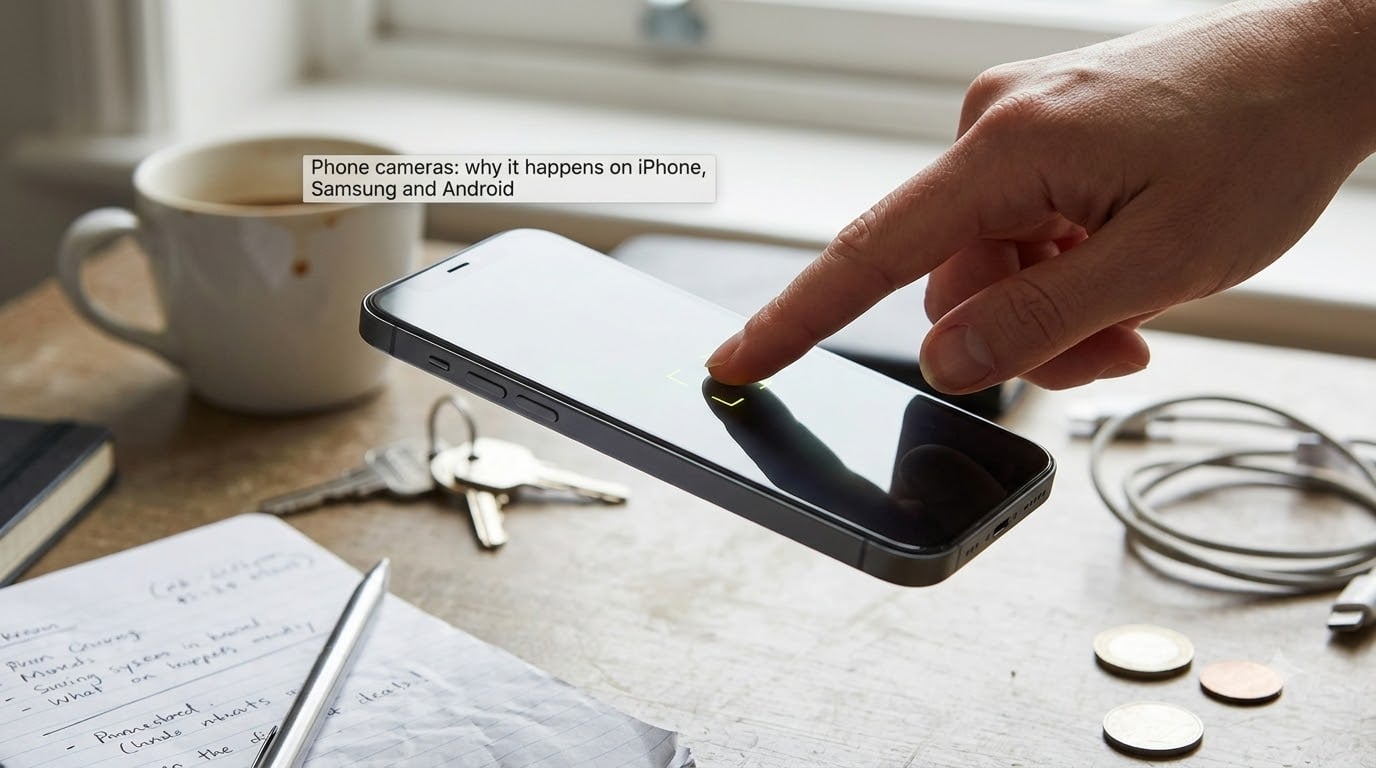
iPhone
Tap your subject once to set focus, then tap and hold to lock both focus and exposure (AE/AF lock in the yellow banner). Swipe the sun icon down to darken exposure, which often makes a low-contrast subject readable to the focus system. Skip the macro control in the camera app. Apple community advice is consistent on this: it forces the phone into macro behaviour at close range and the depth of field collapses. If focus is hunting, check the lens glass for a fingerprint or smear, which is the top-voted fix in phone photography communities.
Samsung
Samsung’s Pro camera mode gives you manual focus and a focus peaking overlay, which is genuinely useful. Outside Pro mode the camera is fully automatic. Samsung community boards are full of users photographing completely static subjects at 108MP and getting soft results; in most of those cases a dirty lens protector or a case pressing on the lens is the culprit.
Android generally
Most Android cameras support tap-to-focus and a lock in the same way. What differs is that manufacturers add their own scene modes and AI subject tracking, and those are the usual reason focus jumps mid-shot. Turn scene optimisation and subject tracking off in the camera settings if your phone has them, then focus manually.
One more phone-specific quirk worth knowing: after you press the shutter, the phone may reprocess and merge frames for HDR or noise reduction. That reprocessing sometimes changes apparent sharpness between the preview and the saved photo.
When it is a hardware fault, not a setting
If the error is consistent, in the same direction, on every lens and every zoom setting, settings will not fix it. Two terms describe the direction: front focus, where the lens focuses nearer than the subject, and back focus, where it focuses further away and the background wins. Back focus is why people search for this problem as a background-focusing complaint.
| Symptom | Likely setting cause | Likely hardware cause | Test to run |
|---|---|---|---|
| Wrong subject, different subjects each time | AF area too wide, subject recognition catching the wrong thing | Unlikely | Switch to single point AF on the subject and shoot 10 frames |
| Consistently sharp in front of the subject | Focus creep between frames, lens creep | Front focus, misaligned optics | Focus a high-contrast target on a tripod, then rotate focus manually and re-check at 100% |
| Consistently sharp beyond the subject | Wrong AF mode with a moving subject | Back focus, AF sensor calibration | Shoot a flat perpendicular target; if it is sharp only when you focus manually, the AF calibration is off |
| Soft at wide angles only | Closest focusing distance | Worn focusing helicoid, loose mount | Check for play in the lens-to-body joint and for looseness in the focus ring |
| Runs well through the viewfinder, slow in live view | Expected, live view AF is contrast-based and slower | Unlikely | Compare both; a big gap is normal, a fault is not |
A useful test from r/AnalogCommunity: shoot three frames of the same static subject, rotate through three different focus zones, and compare. No difference between zones points away from AF placement and towards the gear. Forum users also report the genuinely hardware cases as a lens whose optics are misaligned or whose focus motor has failed.
Is it even a focus problem? Blur that looks identical
Out-of-focus and blurred look the same at a glance, and fixing the wrong one wastes an afternoon. Motion blur means the subject moved during exposure. Camera shake means you moved. Both are shutter speed problems.
The test is a bright, high-contrast edge. If that edge smears in one direction across the frame, you have blur and you need a faster shutter speed, a tripod or stabilisation. If edges are crisp but the wrong distance is sharp, it is a focus problem. The usual rule of thumb is to keep the shutter speed faster than one over your focal length, doubled again if you are shooting on a crop sensor.
The 60-second diagnostic checklist
Work through this in order and you will normally land on the cause within a minute.
- Zoom to 100% on the finished photo. Confirm the wrong distance is genuinely sharp rather than just soft-looking.
- Switch the autofocus mode to single-servo and the AF area to a small single point.
- Put that point directly on your subject’s face or nearest high-contrast edge, away from the background.
- Shoot ten frames and check where the point sits in the viewfinder. That is the focus indicator, and it is on in most cameras by default.
- If focus still lands elsewhere, add contrast: turn the subject slightly, change angle, or step closer.
- If the subject is moving, switch to continuous-servo and hold the point on it through the burst.
- If nothing changed across three different focus zones, move on to the hardware tests above.
- If you are within about 20cm of your subject, stop and check the minimum focusing distance printed on the lens barrel.
Focus settings by scene
Brand naming confuses people constantly. Here is the same three modes across the four systems you are most likely to own.
| What it does | Canon | Nikon | Sony | Fujifilm |
|---|---|---|---|---|
| Lock once, then hold | One-Shot AF | AF-S | AF-S | AF-S |
| Track a moving subject | AI Servo AF | AF-C | AF-C | AF-C |
| Focus area | Spot AF, Zone AF, Auto Selection | Single-point, Dynamic-area, Auto-area | Single, Zone, Wide, Tracking | Single-point, Zone, Wide, All |
| Scene | AF mode | AF area | Aperture | Watch out for |
|---|---|---|---|---|
| Portrait | Single-servo | Eye detection or a small single point on the near eye | f/2.8 to f/4 | Shallow depth of field leaves no margin, so recompose gently |
| Group photos | Single-servo | Wide or zone, then check the frame | f/5.6 or narrower | Nearest-subject bias picking the wrong person |
| Scenery and wide scenes | Single-servo | Single point, one third into the scene | f/8 to f/11 | Focusing on the horizon instead of the foreground |
| Sports and action | Continuous-servo | Tracking or expanded zone | f/4 to f/5.6 | Short minimum distance on long zooms |
| Birds and wildlife | Continuous-servo | Tracking, animal detection if available | f/5.6 to f/8 | Background branches winning the lock |
| Macro and close-up | Single-servo | Small single point | f/8 to f/11 | Minimum focusing distance and lens creep |
| Low light indoor | Continuous-servo | Wider area, or manual with peaking | Wide open | Hunting, and shake at slow shutter speeds |
| Video | Continuous-servo | Tracking or wide area | As above | Live view AF is slower and huntier than viewfinder AF |
How to confirm where your camera actually focused
The fastest way to stop guessing is to make the camera show you. The focus indicator in the viewfinder lights up when focus is confirmed, and on most bodies you can turn on the focus point display so you see the actual box in the frame.
For fine work, switch to live view, magnify to 100% with the magnify button, and adjust focus until the edge is crisp. Turn on focus peaking if your camera has it and the in-focus areas light up in a colour overlay, which makes manual focus fast even in dim light. On phones the equivalent is the tap box, held to lock.
Frequently Asked Questions
Why is my camera only focusing on the background?
Usually the AF area you are using is wide enough to include the background, and the background has more contrast than your subject. Shrink the area to a single point and place it on your subject’s face or nearest hard edge. If your subject sits very close to the wall behind them, stop down one or two stops so both distances fall inside your depth of field.
Why is my camera constantly focusing and refocusing?
That pulsing is autofocus hunting, and it happens when the camera cannot find a high-contrast edge to lock on. Causes are low light, a low-contrast subject such as a white bird against an overcast sky, shooting through glass, or a lens that is too far from the subject at the moment focusing starts. Use the AF assist light, add a little flash, or switch to manual focus with focus peaking.
How do I stop phone camera from auto focusing?
On most phones, tap your subject once to set focus, then tap and hold to lock focus and exposure so the phone stops reassigning the subject. Darken exposure with the sun slider if the subject is low contrast, and switch off scene optimisation, AI subject tracking and any macro control in the camera settings. On iPhone, stay out of the dedicated macro mode, which forces shallow depth of field at close range.
How do I fix camera focus on iPhone?
Wipe the rear lens glass first. A fingerprint or smear is the most common cause of hunting and soft results, and it is the top fix recommended in phone photography communities. Then tap and hold your subject to lock focus and exposure, lower exposure a little, and avoid the macro control. If focus is still wrong, move the phone slightly: a couple of degrees often gives the contrast system something to work with.
Why is my camera not focusing all of a sudden?
Work through the settings first: the AF mode may have changed, a custom mode may have reset, or the lens may not be seated properly. Then test for a hardware fault by shooting the same static subject through three different focus zones. If the result is identical every time, the fault is likely mechanical or electrical, such as front or back focus, a worn focusing helicoid, or an AF sensor out of calibration. A service centre can test AF calibration.
Why do my photos keep moving?
That is blur rather than a focus error. Either your subject moved during the exposure, or the camera moved in your hands. Look at a high-contrast edge at 100% magnification: if it smears in one direction, it is motion or shake, and the fix is a faster shutter speed, a tripod or in-body stabilisation. Focus problems leave edges crisp but the wrong distance sharp.
What to do first
Next shoot, switch to a small single point AF, put it on your subject yourself, and take ten frames. That one change solves the large majority of cases where a camera focuses on the wrong thing, and it costs nothing.
If ten frames at three different focus points all come out identical, stop adjusting settings and run the front focus and back focus tests. At that point you are looking at hardware rather than technique.