Shutter speed is how long your camera’s shutter stays open to let light reach the image sensor. Set it fast, such as 1/1000s, and movement freezes. Set it slow, such as 1/10s, and movement smears. That is the whole idea behind what is shutter speed explained simply.
Last updated October 2026.
Four ideas cover most of what beginners need:
- Measurement — shutter speed is a fraction of a second, written as 1/125 or shown on the camera as the plain number 125.
- Fast shutter speed — a short exposure that freezes movement and limits camera shake.
- Slow shutter speed — a long exposure that gathers more light and blurs anything that moves.
- Exposure — shutter speed works with aperture and ISO to decide how bright the photo looks.
Table of Contents
- What Is Shutter Speed?
- How Shutter Speed Is Shown on a Camera
- Why Shutter Speed Changes Your Photos
- What Happens at Different Shutter Speeds
- How to Choose the Right Shutter Speed
- Shutter Speed in Different Camera Modes
- Shutter Speed and ISO
- Shutter Speed With or Without Flash
- How to Test Shutter Speed Without Guessing
- Common Shutter Speed Mistakes
- Frequently Asked Questions
- Is 1/1000 a slow or fast shutter speed?
- What shutter speed freezes movement?
- Is 1/60 safe for handheld photography?
- Does shutter speed work the same way in video?
- Why does my camera change the shutter speed?
- Should I use a fast shutter speed with flash?
- Start With One Simple Shutter Speed Habit
What Is Shutter Speed?
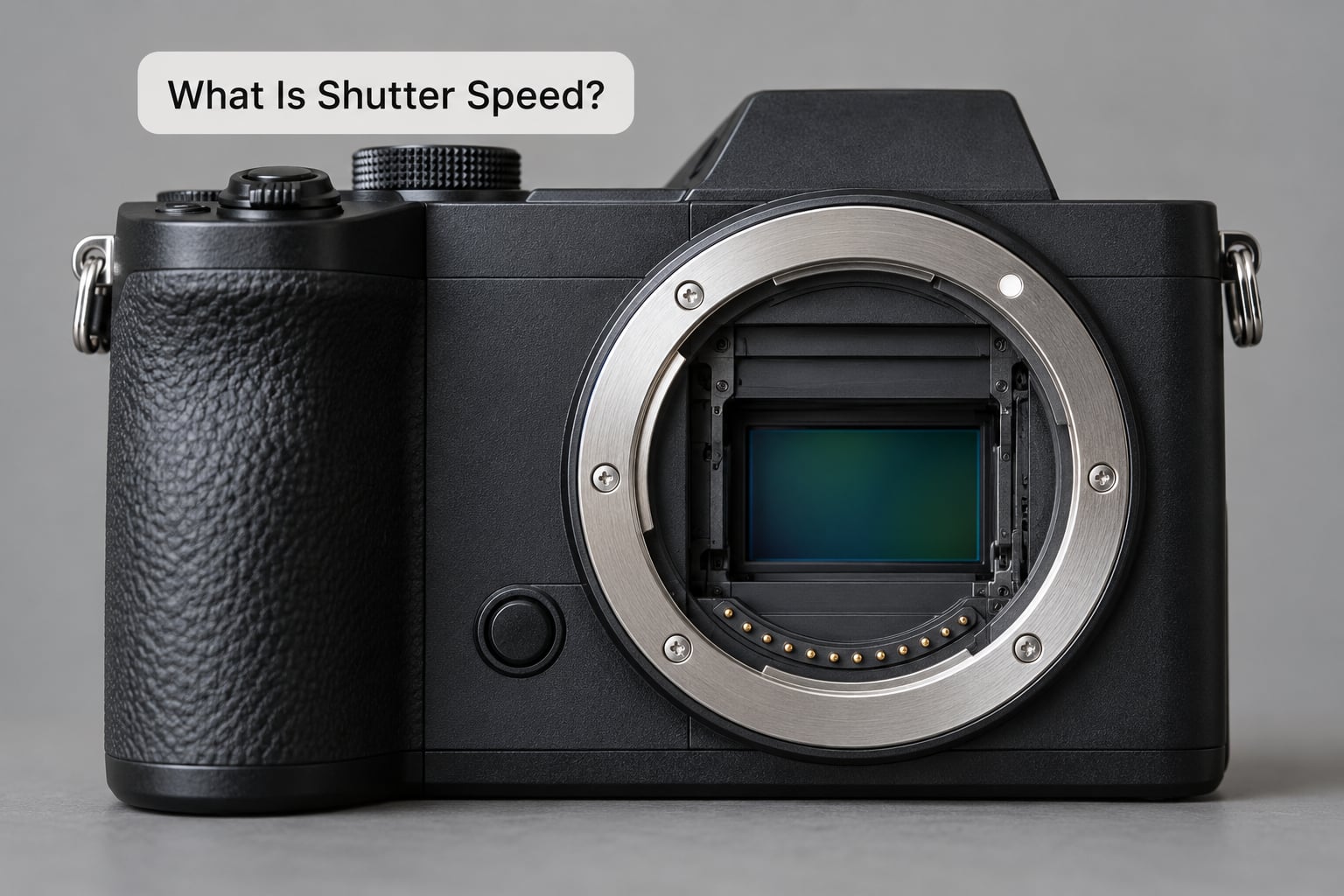
Picture a doorway into a dark room with a curtain across it. Lift the curtain and light floods in for as long as you hold it open. Lower it and the room stays dark. The shutter is that curtain, and shutter speed is how many seconds you leave it up.
Inside your camera, the shutter normally sits in front of the sensor and closes until you press the button. Press it and the curtain flicks aside for a set time, light lands on the sensor, the curtain closes again, and the camera reads that data into a photo.
A short exposure and a long exposure are the same action with different timings. At 1/1000s the curtain is up for a thousandth of a second. At 30 seconds it stays up half a minute, long enough to record car headlights as solid streaks of light.
Two things happen during that time, and both matter. The longer the curtain is up, the more light reaches the sensor, and the longer any movement has time to smear across the frame.
How Shutter Speed Is Shown on a Camera
Real shutter speeds are tiny fractions, so photographers write them as fractions. One second split into 125 pieces is 1/125s. The bigger the bottom number, the shorter the time.
Cameras drop the fraction and show only the denominator, which is exactly where the confusion starts. A readout of 125 means 1/125 of a second, not 125 seconds. So 4000 means 1/4000s, one four-thousandth of a second.
| What the camera shows | Actual exposure time | What it looks like |
|---|---|---|
| 8000 | 1/8000 s | Freezes a bullet in flight or a water droplet |
| 4000 | 1/4000 s | Freezes a bird’s wingbeat |
| 1000 | 1/1000 s | Sharp running children in good light |
| 500 | 1/500 s | General action and pets |
| 250 | 1/250 s | Walking people, casual sport |
| 125 | 1/125 s | A relaxed standing pose |
| 60 | 1/60 s | Handheld on a 60mm lens |
| 30 | 1/30 s | Dim scenes with stabilisation on |
| 2" | 2 seconds | Smooth water, light trails start |
| Bulb | As long as you hold it | Star trails and night work |
Speeds sit on a scale of stops. Every step is roughly double or half the time, and each one doubles or halves the light: 1/250 to 1/500 gains one stop of brightness, 1/500 to 1/1000 another. It is the same ladder as aperture and ISO, which is why one can compensate for the other.
Why Shutter Speed Changes Your Photos
Light is the first effect. A slow shutter lets more light in, so the photo brightens. Push it too far and highlights wash out. A fast shutter starves the sensor, so the photo darkens and you compensate elsewhere.
Subject movement is the second effect. Anything that moves while the shutter is open is recorded as a trail. A runner shot at 1/1000s is a sharp figure. The same runner at 1/60s is a translucent streak with no legs.
Camera movement is the third, and it is the one that catches beginners out. Hold the camera still and any movement is the subject’s fault. Let it wobble and even a statue smears, because the whole scene shifts during the exposure.
Water reacts differently, which is why it appears on both sides of the scale. Water at 1/2000s looks like suspended droplets. Water at two seconds looks like a smooth, silky sheet.
What Happens at Different Shutter Speeds
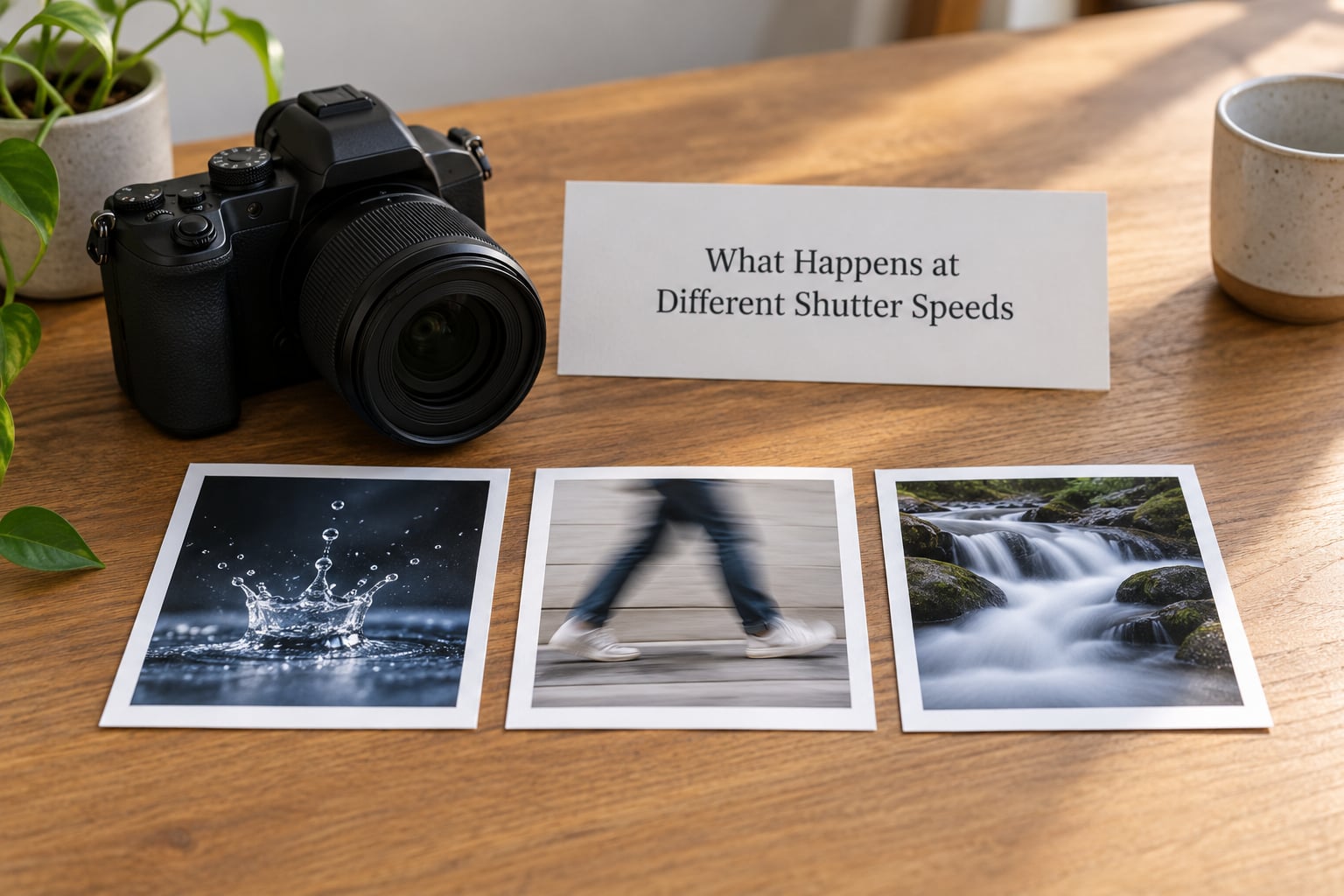
The table below groups the whole scale into five bands you will actually use.
| Band | Typical values | Result | Suited to |
|---|---|---|---|
| Very fast | 1/8000s to 1/1000s | Motion fully frozen, light limited | Spraying water, birds in flight, fast sport |
| Fast | 1/1000s to 1/250s | Movement sharp, small risk of shake | Running children, pets, matchday sport |
| Normal | 1/250s to 1/60s | Little or no motion blur in good light | Groups, street scenes, casual portraits |
| Slow | 1/60s to 1s | Noticeable blur, much more light | Low-light indoor work, still water, city at dusk |
| Very long | 2s to Bulb | Heavy blur or light drawn on sensor | Smooth waterfalls, traffic trails, star trails |
There is no single best shutter speed. The right one is whatever the movement in your frame needs, and that shifts with the light you have.
How to Choose the Right Shutter Speed
Work through these five checks in order. They take about ten seconds and remove almost all guesswork.
- How fast is the subject moving? Still means 1/125s is fine. A walking adult wants 1/250s. A running child or dog wants 1/500s to 1/1000s. Wildlife in flight lives at 1/1600s and faster.
- How still are your hands? Use the reciprocal rule: keep the shutter speed at least as fast as your focal length in millimetres. On a 50mm lens, use 1/50s or faster. On 200mm, use 1/200s or faster.
- What is the crop factor doing? A 50mm lens on an APS-C body, with its 1.5x or 1.6x crop, really behaves like a 75mm or 80mm lens. Multiply the focal length by the crop factor before you pick a handheld speed.
- How much light is there? Outdoors at midday, anything from 1/250s to 1/1000s is easy. Indoors after sunset, you will drop toward 1/60s or slower and need a wider aperture, a higher ISO, or a tripod.
- Do you want a creative effect? If you want milky water, glowing trails or a sense of speed, slow the shutter down on purpose rather than letting the camera do it.
Image stabilisation in the lens or camera body buys a few stops of handholding, often four or five. It steadies the frame but does nothing for a moving subject, so it cannot rescue a shot of a running dog taken at 1/30s.
If you are handholding anything longer than about one second, put the camera on a tripod. People blame their hands for soft night photos when the real cause is the shutter release pressing the body.
Shutter Speed in Different Camera Modes
Your mode dial decides how much of the shutter speed you control yourself.
Program mode (P) picks a shutter speed and an aperture for you based on the light. You can still shift the pair by rotating a dial, which is how you bias toward a faster speed with a wider aperture.
Aperture priority (A or Av) fixes the aperture and lets the camera choose the shutter speed. Good when depth of field matters more than the risk of a slow speed in dim light.
Shutter priority (S or Tv) fixes the shutter speed and lets the camera pick the aperture. Nikon calls it S, Canon and Sony call it Tv, and it is the mode most beginners settle into once they understand the setting. You choose the speed for the movement, and the camera handles the rest.
Manual (M) fixes both shutter speed and aperture. You control exposure completely, which is what you want when the scene is changing faster than the meter can judge, such as a sunset or a stage.
Bulb is not a separate exposure mode so much as a special speed. The shutter stays open while you hold the release, usually with a remote or a two-second timer, which is how star trails and ten-minute water shots happen.
Shutter Speed and ISO
Shutter speed, aperture and ISO are the exposure triangle, and each one controls brightness in a different way. Shutter speed controls how long. Aperture controls how wide the opening is. ISO controls how strongly the camera amplifies what it collected.
In a dark room you have three levers and they trade off against each other. You can slow the shutter to gather more light, open the aperture to let more light through, or raise ISO to make the sensor treat a dim scene as bright.
Raising ISO is the fastest fix and the one with a cost. Amplifying a dim signal also amplifies the speckled noise and flattens colour, so ISO 6400 in a dark hall will look grainy next to ISO 1600. Slowing the shutter gives cleaner files but blurs hands and moving people. Widening the aperture gives clean, sharp results with less depth of field, so backgrounds soften.
The habit worth building is to try the other two levers first. Fix the shutter speed for the movement, open the aperture as far as you can live with, and only then push ISO until the photo is bright enough.
Shutter Speed With or Without Flash
Flash changes the rules, because a flash fires for its own very short duration regardless of what the shutter speed says. That flash duration is what actually freezes motion in a flash photograph.
What the shutter speed controls with flash is the ambient light around the flash, and that is why the pictures go strange above the sync speed. Most cameras sync around 1/200s on full frame and 1/250s on APS-C, and some manage 1/500s. Go faster and the sensor cannot read and write fast enough across the whole frame, so a dark band appears across part of the picture.
High-speed sync exists for exactly this. The camera fires a long series of low-power pulses instead of one burst, which lets you use 1/1000s or faster with flash, at the cost of some flash power. The background stays dark because ambient light is not what is lighting the shot.
So when do you use which? Flash is the answer for freezing a subject in a dark room, because its duration is far shorter than any handheld speed you would dare to use. Ambient light is the answer when you want motion blur on purpose, or when you want the background to glow, or when you are somewhere that is dark but not dark enough for flash to reach.
How to Test Shutter Speed Without Guessing
Here is a routine that takes two minutes and settles the question for good.
- Look at the shutter speed readout before you compose. Write the number down, including the implied fraction.
- Take one shot at that setting and zoom to 100% on the closest moving thing, the face or the paws.
- Check two things separately: is the background sharp, and is the subject sharp? Sharp background with a soft subject means the shutter speed was too slow. A soft background with a sharp subject means camera shake. Both soft means you moved the camera, or missed focus.
- Move one standard stop and shoot again. Halve the time for more light, double it for less light.
- Stop adjusting when the subject looks right. Do not chase the other two settings yet.
Repeat the same test at several speeds and you end up with your own reference sheet, which beats any generic chart because it comes from your hands, your lens and your walking pace.
Common Shutter Speed Mistakes
Reading the fraction backwards. A larger bottom number means less time. 1/1000s is sixteen times shorter than 1/60s, not sixteen times longer. Every beginner stumbles on this once.
Picking one speed for everything. A single value set in good daylight fails the moment the light goes. Set the speed for the movement in front of you, every time.
Blurring hands instead of subjects. The reciprocal rule exists for this. Ignore crop factor and you will be soft at focal lengths you thought were safe.
Raising ISO out of habit. Plenty of new photos are noisy because the photographer reached for the brightness dial instead of a slower shutter or a wider aperture. Try those first.
Pressing the shutter on a tripod. Even a light press moves the camera enough to soften a long exposure. Use a timer, a two-second delay or a remote release.
Pushing past flash sync speed. Anything faster than roughly 1/200s with flash can produce a dark band across the frame, and it looks like a fault rather than a rule.
Frequently Asked Questions
Is 1/1000 a slow or fast shutter speed?
1/1000s is a fast shutter speed. It keeps the sensor exposed for a thousandth of a second, which is short enough to freeze most ordinary movement and quick enough to handhold comfortably on a standard zoom lens. You will use speeds like this for running children, pets, matchday sport and birds in flight, and you will need plenty of light or a raised ISO to make the brightness work.
What shutter speed freezes movement?
It depends on how fast the subject moves. A walking adult is sharp at 1/250s, a running child or dog needs around 1/500s to 1/1000s, and birds in flight usually need 1/1600s or faster. When you are using flash, the flash duration freezes the motion instead, and the shutter speed mostly controls how much ambient light joins in.
Is 1/60 safe for handheld photography?
1/60s is safe on a 60mm lens and anything shorter, held still. On longer lenses you need faster speeds: 1/200s on a 200mm. Two things raise the safe speed further, and both are worth remembering. A larger crop factor on the camera body does it, so a 50mm lens on APS-C behaves closer to 1/80s. Image stabilisation buys several stops of extra safety.
Does shutter speed work the same way in video?
Yes and no. The same exposure rules apply, but video records a moving picture, so you choose a shutter speed that looks right rather than one that just stops motion. The common rule is to set the shutter speed at twice the frame rate: 24 fps gives 1/48s, 25 fps gives 1/50s, 50 fps gives 1/100s, and 60 fps gives 1/120s. Going far below that produces smeared, dreamlike motion. Going far above makes every frame harsh and staccato.
Why does my camera change the shutter speed?
Because in Program and Aperture priority modes the camera picks it for you, aiming for a balanced exposure given the light and the aperture you set. If you want a specific speed to freeze or blur motion, switch to Shutter priority (S on Nikon and Fujifilm, Tv on Canon and Sony) and set the value yourself. In Manual mode nothing will change it once you have dialled it in.
Should I use a fast shutter speed with flash?
Only up to a point. Most cameras can sync with flash at roughly 1/200s on full frame and 1/250s on APS-C, and going faster than that causes a dark band across part of the frame because the sensor cannot read and reset quickly enough. If you need a faster speed, turn on high-speed sync, which pulses the flash and costs a little power. Remember that flash duration, not shutter speed, is what freezes the motion.
Start With One Simple Shutter Speed Habit
Shutter speed is a duration, nothing more. Long duration records light and blurs movement; short duration records less light and stops movement. Everything else follows from those two facts.
So start with one habit. Before you lift the camera, read the shutter speed number and convert it to a fraction in your head. Pick a value that suits the movement in front of you, take one shot, and zoom in on the subject before you change anything else. If the subject is soft, go one stop faster. If the frame is dark, try a wider aperture before you reach for ISO.
Do that ten times and you will own this setting faster than any chart can teach it.