You cannot stop someone from saving an image you published. A screenshot produces a brand new file, and once that happens your control over it is gone. What you can do is make copying pointless, make yourself easy to identify, and have a plan ready for when you find a copy anyway.
That is the honest answer to how to protect photos from being copied online, and it is why the advice that actually holds up is layered. Shrink the file so it is not worth stealing. Mark it so a stolen copy still carries your name. Then know how to find misuse and act on it.
Most photographers I know have tried at least one of these. The ones whose work stays intact are the ones who turned all of them into a habit, and who never watermark their master files by mistake. This guide takes about fifteen minutes to set up properly, and the routine takes a couple of minutes per shoot once it exists.
Table of Contents
- What You Need
- Step-by-Step: How to Protect Photos from Being Copied Online
- 1. Keep the original files private
- 2. Upload smaller, purpose-built versions
- 3. Add a visible or transparent watermark
- 4. Use platform controls that limit downloading
- 5. Remove unnecessary metadata and personal information
- 6. Monitor published images and respond to misuse
- Protecting Private and Family Photos
- Common Mistakes
- Frequently Asked Questions
- Can you actually stop someone from saving my photo?
- Are photos online automatically copyrighted?
- Does a watermark actually stop image theft?
- Can you disable right click on photos?
- How do I check whether my pictures are being used online?
- What should I do if I find a stolen copy of my photo?
- Conclusion
What You Need
None of this needs expensive software, but it does need a few separate things kept apart. Get these straight first and the rest of the guide goes quickly.
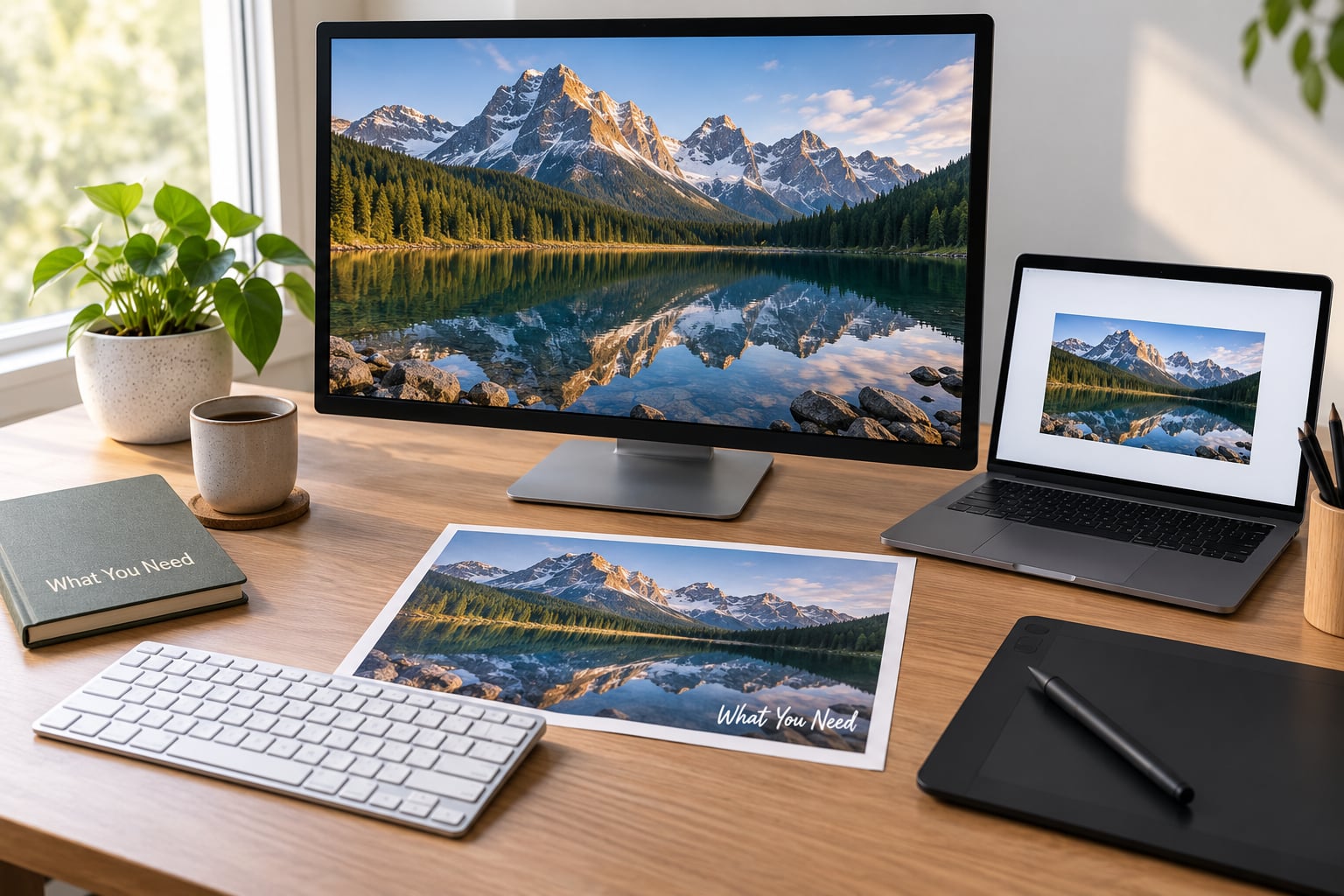
- Your clean, full-resolution masters. The original files from the camera, kept off any public server and backed up in at least two places.
- An editing or gallery tool that exports separately. Anything that lets you keep a protected copy and a full-resolution copy side by side will do, whether that is your desktop editor, a phone app or a hosted portfolio platform.
- A downscaled preview version. A deliberately small export for each destination, sized for the screen it will be seen on.
- A watermark asset. A short text line, a logo or a signature, saved as a transparent PNG with the corners you plan to use already empty.
- A record of where each image has been published. A spreadsheet with the filename, the date and the URL. You cannot report a stolen copy you cannot find.
The record sounds fussy until the first time you need it. Finding the copy is the easy half; proving which post it came from, and when, is the half that decides whether a report succeeds.
Step-by-Step: How to Protect Photos from Being Copied Online
Work through these in order. The order matters, because watermarking before you resize means you have to redo the watermark on every version.
1. Keep the original files private
Your full-resolution master should never be the thing you upload anywhere. Store it on a drive you control, back it up somewhere else, and publish an export instead.
A three-level structure works well. Masters are full resolution and unmarked, kept private. Web previews are resized, watermarked and compressed, and these are what people see. Sales or print files are large, clean and watermarked only if the buyer has agreed to that, which most have not.
One classic mistake deserves naming here. Some editors export over your original instead of creating a new file, so the marked version quietly replaces the master. Before you stamp a single image, check that your export path writes to a new folder.
Community advice repeats this constantly: the combination of a downscaled file and a watermark is the practical answer, not one or the other. Downscaling alone leaves no way to prove authorship. Watermarking alone gives away the resolution people actually want.
2. Upload smaller, purpose-built versions
Resizing first is the single most useful thing most people skip. A file with the commercial value removed has much less appeal to anyone considering reposting it.
For a portfolio or gallery, the longest edge around 1600 to 2000 pixels looks sharp on most screens and is far below print resolution. For social posts, whatever the platform compresses to anyway. For a marketplace listing, follow the platform’s stated main-image dimensions exactly, because anything larger is wasted weight.
You do not need an exact figure for every case. The test is simple: if a thief downloaded your upload, could they print it on decent paper and sell it? If yes, resize again.
3. Add a visible or transparent watermark
A watermark does not stop copying. It identifies you after copying happens, which is why it belongs on the preview rather than the master.
Text beats a logo for identification because it names you. A logo works better for brand recognition on social posts. A signature suits fine art prints. Whichever you use, keep it short enough to read at thumbnail size, and give it a subtle outline or drop shadow so it survives a busy background.
These are the numbers photographers actually ask for:
- Size: roughly 5 to 10 percent of the image width. Below about 4 percent it disappears on a phone; above 12 percent it starts to spoil the picture.
- Corner mark, at 25 to 40 percent opacity. Discreet, and the first thing a cropper removes.
- Centre mark, at 40 to 60 percent opacity. Harder to ignore, harder to crop out, more visible over faces and product detail.
- Tiled pattern, at 15 to 30 percent opacity. The most resistant to cropping, and the busiest to look at.
Export the marked file as a PNG layer with transparency, or flatten onto a JPEG at a quality setting around 80. Save your settings as a preset so a hundred images get stamped identically in one batch, and check the first and the hundredth output before letting the batch run overnight.
If your worry is that the mark gets removed, remember that making removal costly is the realistic goal. A diagonal mark across the middle frame, or a tiled pattern, forces the person taking it to spend real effort on a file that is small anyway. Photographers describe that combination as the honest answer rather than a promise.
4. Use platform controls that limit downloading
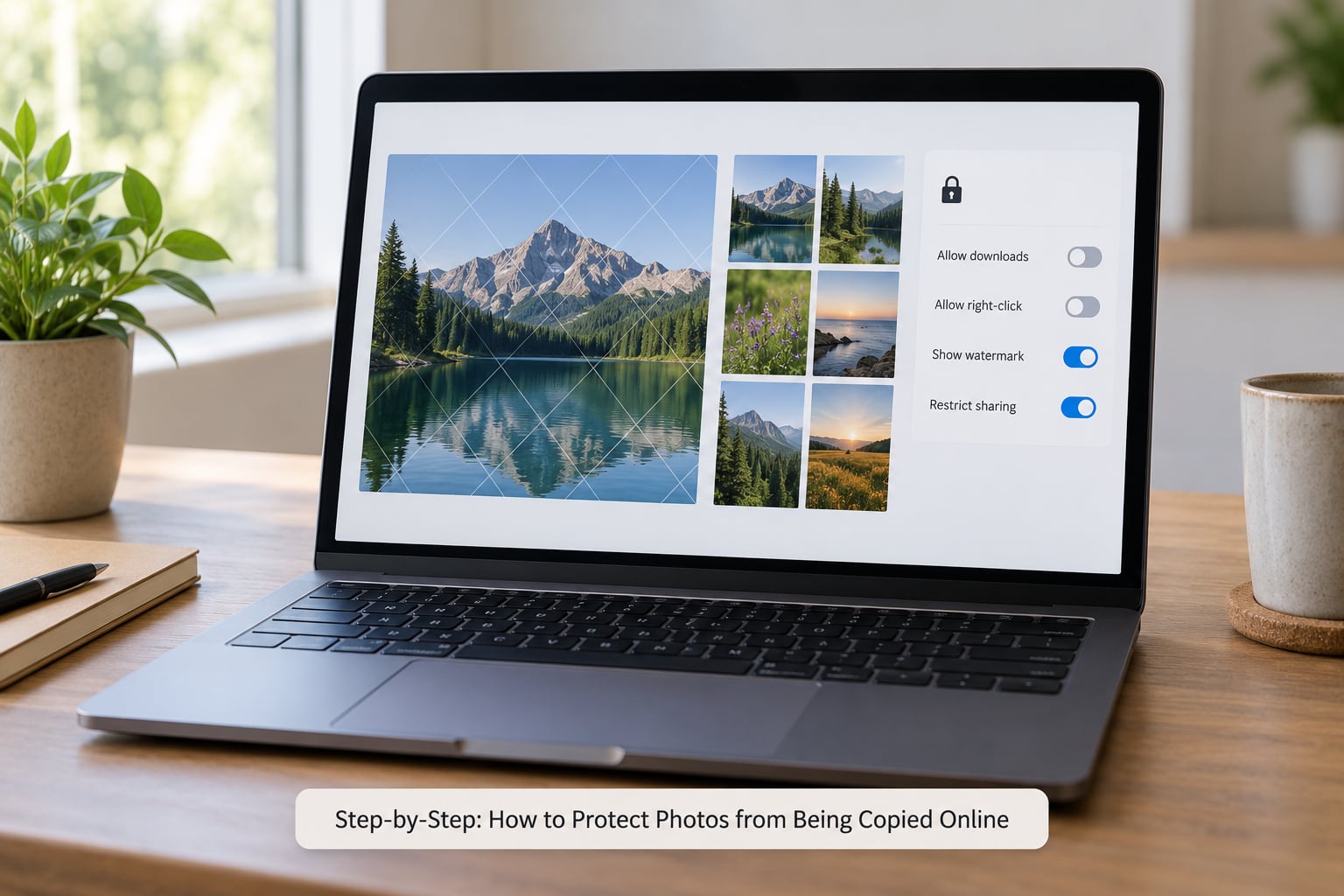
Every major gallery platform offers something in this area, and it is worth turning on. Look for a disable-download toggle, a right-click block, a lightbox that replaces the image URL, and hotlink protection that blocks your images loading on other domains.
Here is the honest part. Disabling right-click stops nothing technical. It is one click, the image is already in the page, and a browser screenshot works on everything. It removes the most casual copier, which has some value, and that is the entire value.
What does help is a gallery that serves a resized preview rather than the original file, and that requires a login or an expiring link for client proofs. Turn those on, then treat everything else as a minor speed bump rather than protection.
5. Remove unnecessary metadata and personal information
Metadata lives inside the file and is invisible on screen. The fields that matter to you are the copyright ones, and they sit in three places.
- EXIF is written by the camera and holds technical capture data, including GPS coordinates when enabled.
- IPTC is the older standard carrying descriptive and rights fields such as Creator, Copyright Notice and Credit Line.
- XMP is the modern container, and the one most current software reads and writes.
Fill in Creator, Copyright Notice and, if you license work, a rights or licence URL. Your editing tool can usually do this from the file info or metadata panel, and command-line users can write the fields directly with ExifTool. Export one file and reopen it to confirm the fields survived, because they quietly disappear more often than people expect.
Then strip what you did not intend to publish. GPS coordinates on a shot taken at home are a bigger problem than the photograph is. Many editors offer a metadata removal option on export, which handles it in one click.
Be realistic about what metadata buys you. It travels inside the file until someone re-saves, re-uploads or screenshots it, and major social platforms strip or hide most of it on upload. It is strong evidence in a dispute and weak protection in the wild.
Removing copyright information deliberately is a separate legal matter. Copyright management information has its own protection under section 1202 of title 17 of the United States Code, which carries civil penalties for stripping it. That is a reason to keep the fields in, not a reason to expect the fields to survive.
6. Monitor published images and respond to misuse
Protection you never check on is protection you cannot rely on. Set a short routine and run it monthly, or right after a big publish.
Start with a reverse image search. Google Lens handles a single uploaded file well and is the broadest tool for finding a copy across the open web. Bing Visual Search is useful for pages that are poorly indexed. TinEye is the specialist option for commercial reuse and gives you a date range for when your image was first indexed, which is useful when someone registers it later as their own.
Run the search on a distinctive crop rather than the whole frame, since a cropped repost will not match a full image. Search your name and your studio name as plain text as well, because misuse often happens with the credit removed but the description left intact.
When you find a copy, work up this ladder in order:
- Document it before you touch it. Full-page screenshot including the URL bar and date, the direct image URL, a note of the date and time, and a copy of the post text. Save it somewhere that is not the same account the other person controls.
- Confirm it is actually yours. Match the image against your dated original files, not from memory.
- Contact the owner directly with a short, factual message and the evidence attached. Forum users report this resolves more cases than anything heavier, because most misuse is inattention rather than intent.
- File a platform report using the site’s own intellectual property or copyright form. Marketplaces and stock libraries all have one, and a clear statement plus proof of ownership is usually enough.
- Escalate to a formal takedown notice if the site ignores the report. In the United States that is a DMCA takedown notice sent to the host or platform, which is legally required to act on a valid one. Laws differ by country, and outside the US your route runs through local equivalents.
- Get advice before you escalate further. Formal claims carry real obligations, including for mistaken ones, and a copyright attorney or a local advice service can tell you whether it is worth the effort at your scale.
If a licensing library or reseller has re-registered your photo as their own, keep going up the ladder rather than stopping. That happens often enough that people in photography communities have developed a whole routine for it.
Protecting Private and Family Photos
Private photos need a different approach from work you want seen. You are not chasing licences, you are trying to keep images of children, home interiors and documents out of circulation.
The effective levers are account settings, not watermarks. Use private accounts with follower approval, turn off location tagging before you post, check tagging requests, and avoid posting a photo that shows your street number, a school uniform or a child’s full name.
For document and ID scans, add a visible mark such as “For verification with [organisation] only, [date]” across the image before you send it. That single line defeats most of the fraud these scans get used for.
If someone posts a picture of you without permission, the route differs from copyright. You have separate rights around your own likeness and privacy, which usually means a request for removal to the platform first, supported by the country’s data or privacy regulator if they refuse. For family and friends, a direct request usually works.
Common Mistakes
These are the errors that show up again and again, and each one has a straightforward fix.
- Relying on one method. A watermark alone can be cropped. A small file alone cannot prove anything. Layer them.
- Publishing the original file. If your upload is print resolution, you have handed over the thing you were trying to keep. Export a smaller version.
- A watermark too faint to survive. Under 20 percent opacity on a textured area disappears at thumbnail size. Raise it or move it.
- Believing a right-click block stops copying. It deters a mouse click and nothing else. It is a speed bump, not a lock.
- Watermarking the master file. Keep marked exports in a separate folder and never let your editor overwrite originals.
- Leaving GPS data in family shots. Turn location tagging off in the camera and strip it on export.
- Publishing originals to satisfy a marketplace rule. Some platforms forbid watermarks on main listing images. Resize instead of stamping.
- No evidence when you find a copy. Screenshot first, argue later. Reporting without documentation is the most common reason a claim stalls.
- Assuming watermarks solve AI scraping. This area moves fast and current removers handle simple marks. Smaller files and rights registration still matter more than any single trick.
Frequently Asked Questions
Can you actually stop someone from saving my photo?
No. Any image displayed on a screen can be captured, and a screenshot creates a new file that carries none of your original settings or protection. What you can change is the value and the evidence. Uploading a downscaled preview removes most of the commercial worth, and a visible mark survives re-encoding well enough to identify you. Aim at deterrence and attribution rather than prevention.
Are photos online automatically copyrighted?
Yes. In most countries, including the United States, copyright attaches the moment a photograph is fixed in a tangible form, so uploading one to a site is already protected. You do not need to register it for that protection to exist, and you do not need a notice on the image either. Registration and a visible notice mainly make a later claim easier to prove, particularly if someone tries to register your image first.
Does a watermark actually stop image theft?
It deters and it identifies, but it does not stop anyone determined. A corner mark disappears in seconds with a crop, and current removal tools handle simple text. A diagonal mark across the middle of the frame or a tiled pattern is meaningfully harder to clean up, and a mid-frame mark at 40 to 60 percent opacity cannot simply be cropped away. Pair it with a smaller upload and the file is barely worth the effort.
Can you disable right click on photos?
Most gallery platforms let you block it, and you should turn it on, but be clear about what it does. It is a client-side script, and anything it hides is already downloaded to the visitor’s browser. Screenshots, keyboard shortcuts and the page source all bypass it without effort. It removes the most casual copier, which is genuinely useful, and nothing more. A protected gallery that serves a resized preview is worth far more.
How do I check whether my pictures are being used online?
Run a reverse image search on a distinctive crop of each image. Google Lens has the broadest coverage of the open web, Bing Visual Search catches pages that are poorly indexed, and TinEye shows you when your image was first indexed, which matters if someone later claims it. Search your own name and studio name in plain text too, since misuse often keeps the description and drops the credit. Repeat this monthly or after each major publish.
What should I do if I find a stolen copy of my photo?
Screenshot the whole page including the URL bar, save the direct image link, and note the date before anything else. Then contact the owner directly with the evidence, which resolves more cases than anything heavier. If they ignore it, use the platform’s copyright or intellectual property form, and escalate to a formal takedown notice if the site has real reach. Keep your dated original files, since they are the proof of ownership behind every step.
Conclusion
Start with the habit, not the tool. Before your next publish, separate your masters from your web previews and confirm your export writes to a new folder. That one change removes the most expensive mistake people make with their own work.
After that, add a watermark preset with size and opacity already set, strip location data on export, and put a date in your calendar for a reverse image search. The full picture of protecting photos from being copied online is those three habits repeated, not any single clever setting.